Microsoft Bot Framework
Category
Digital, Strategy, UX, WebAbout This Project
The Setup
In 2016, Microsoft bet that conversation would be the next interface, and Bot Framework was the toolkit behind that bet. At Build 2016, Satya Nadella told developers that bots are the new apps. Our team came in before there was a product — when what existed was a concept to define. I led design for the early conceptualization and prototyping, working with Microsoft’s product team through North Highland / Sparks Grove.
The Challenge
The framework had three parts — Bot Connector, Bot Builder SDK and Bot Directory — that made sense to engineers but didn’t yet tell a story. We needed to make the platform legible to developers at a glance, make the value tangible for business stakeholders, and make conversations trustworthy, with clear limits and a human handoff.
What I Led
Working closely with Microsoft’s product team, I turned a platform vision into things people could see and react to while the product was still being defined. With a core team of two to four, I designed hands-on across four tracks: framing the platform, designing the developer front door, prototyping real conversations, and building a flagship agent.
What We Delivered
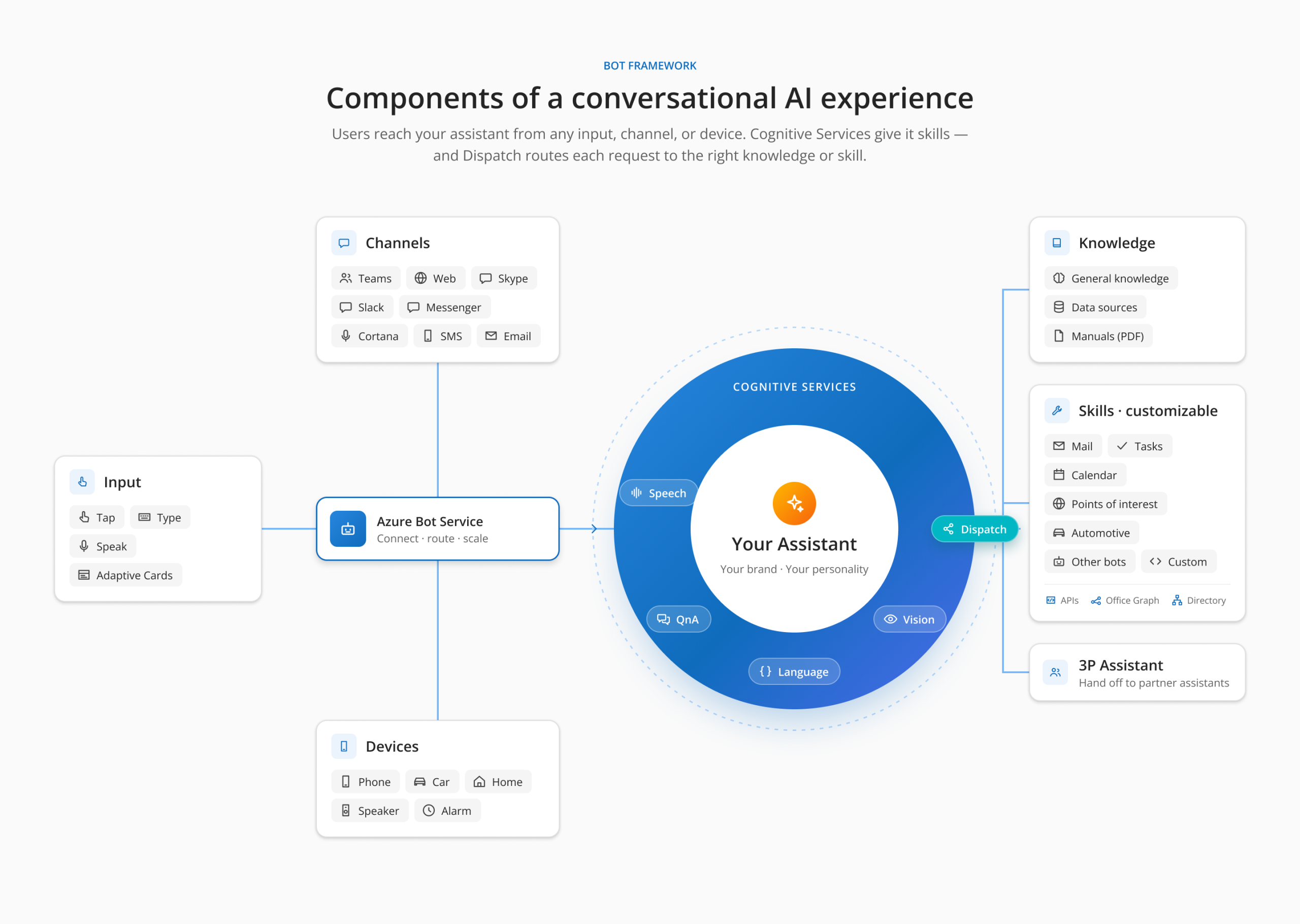
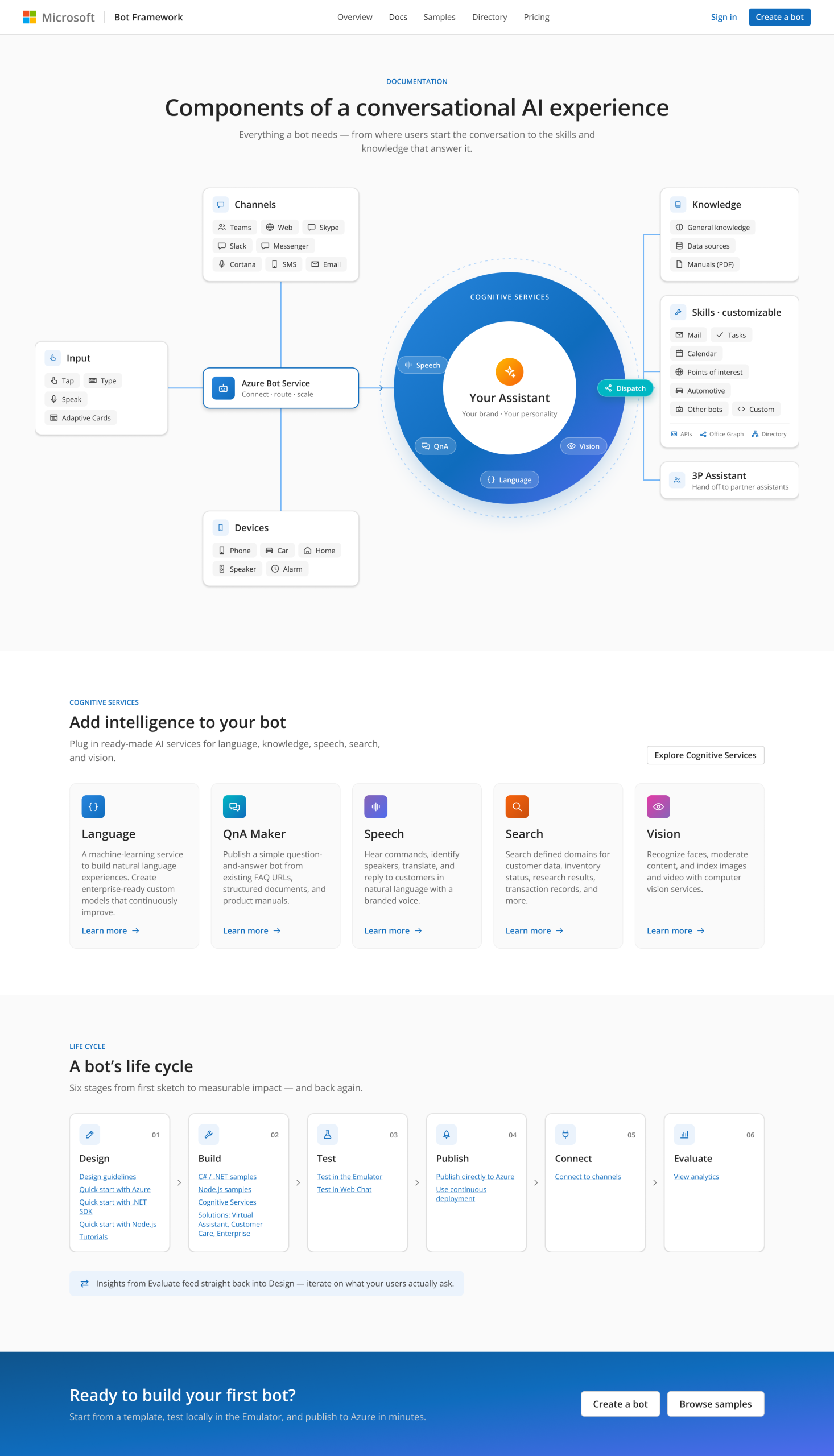
Platform map. We mapped the anatomy of a conversational experience. Input, channels and devices feed Azure Bot Service, which connects to Cognitive Services (speech, QnA, language, vision). A Dispatch layer routes each request to knowledge, skills or third-party assistants. At the center: “Your Assistant: your brand, your personality.” A six-stage life cycle (Design, Build, Test, Publish, Connect, Evaluate) doubled as navigation.
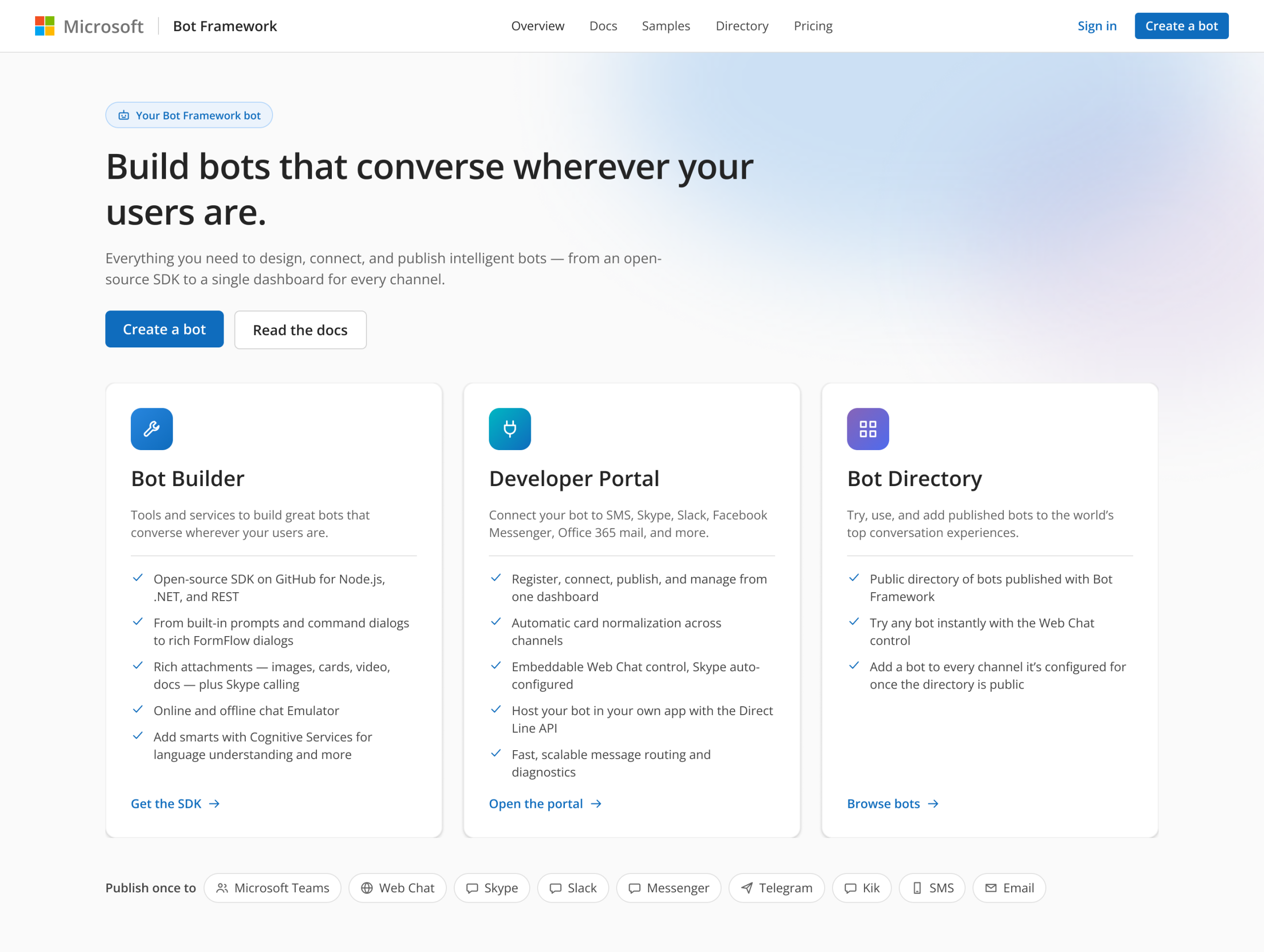
Three pillars. Bot Builder for building, Developer Portal for connecting to channels, Bot Directory for discovery. One screen took a developer from “what is this?” to “I’m building.”
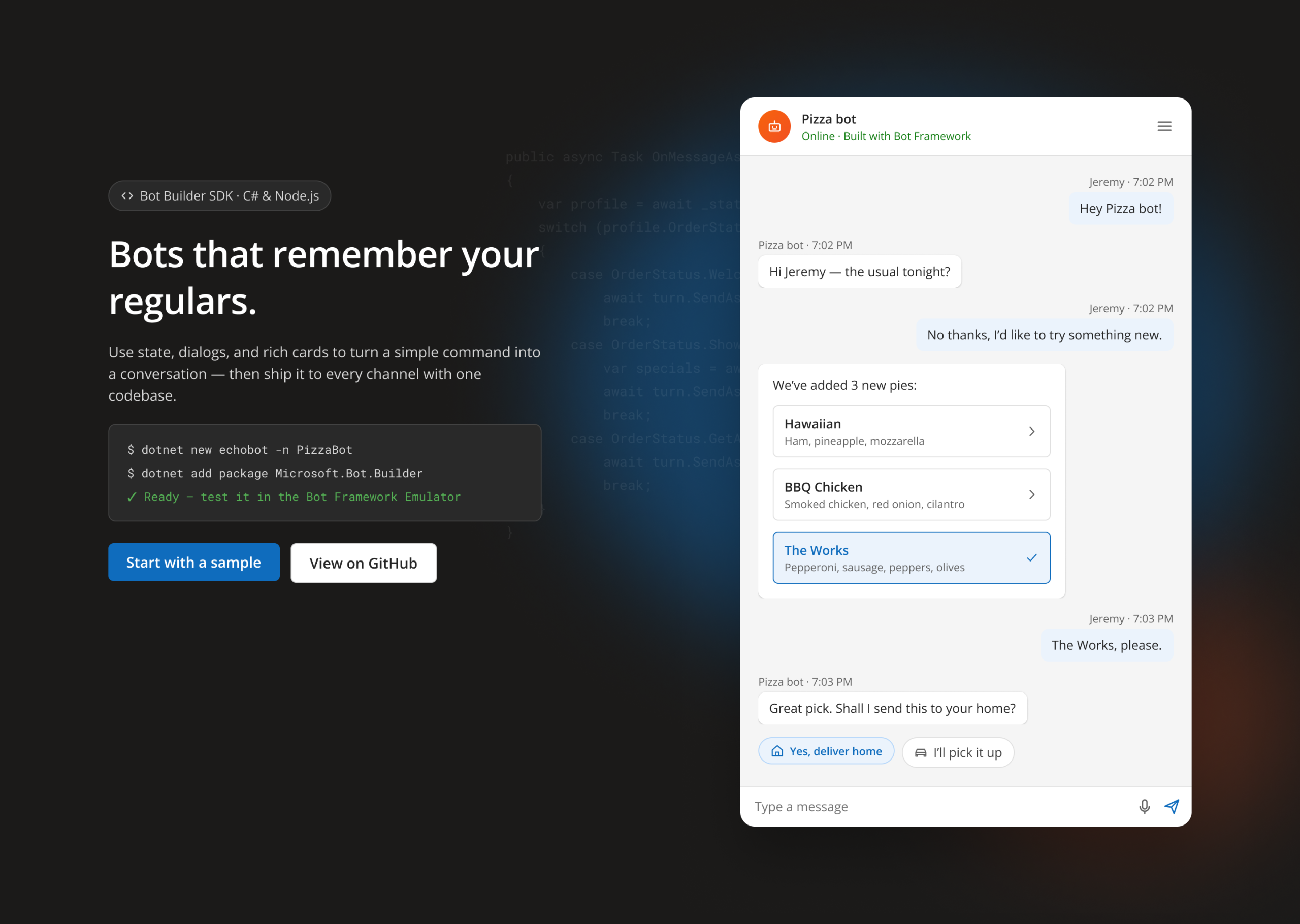
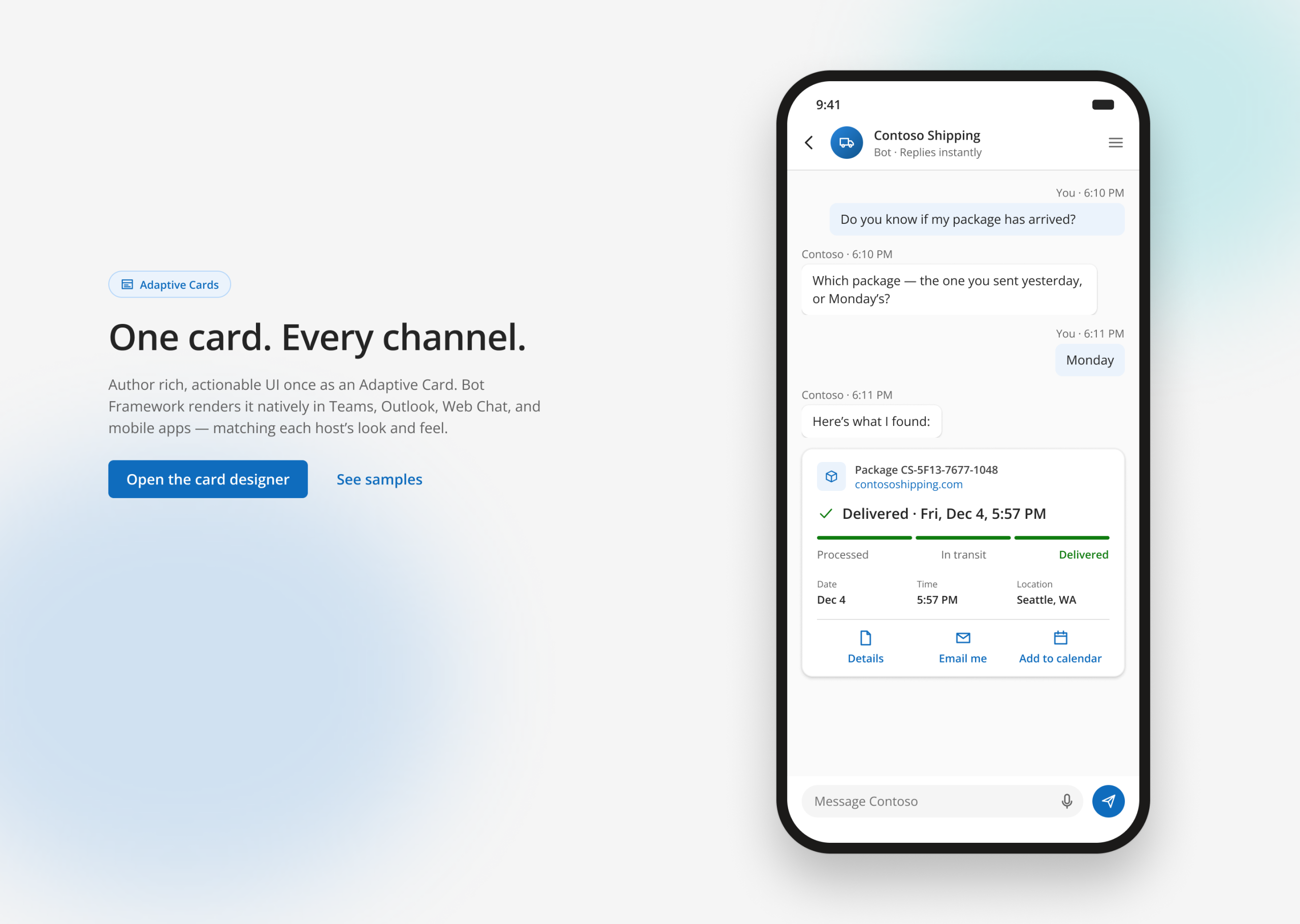
Conversation prototypes. A Pizza bot that remembers a regular’s usual order, shown beside its dialog code. A mobile tracking bot that asks one clarifying question, then answers with an actionable Adaptive Card.
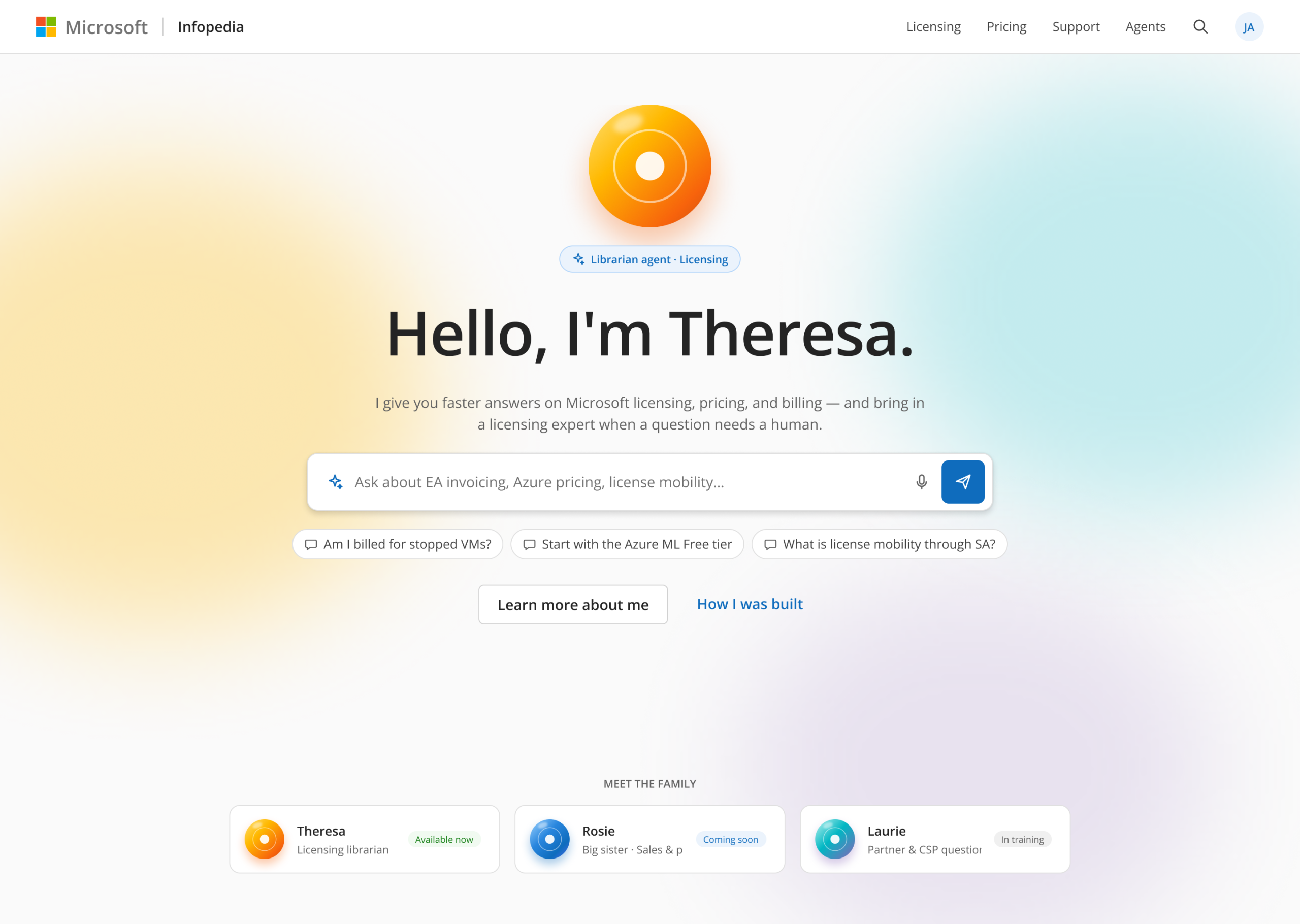
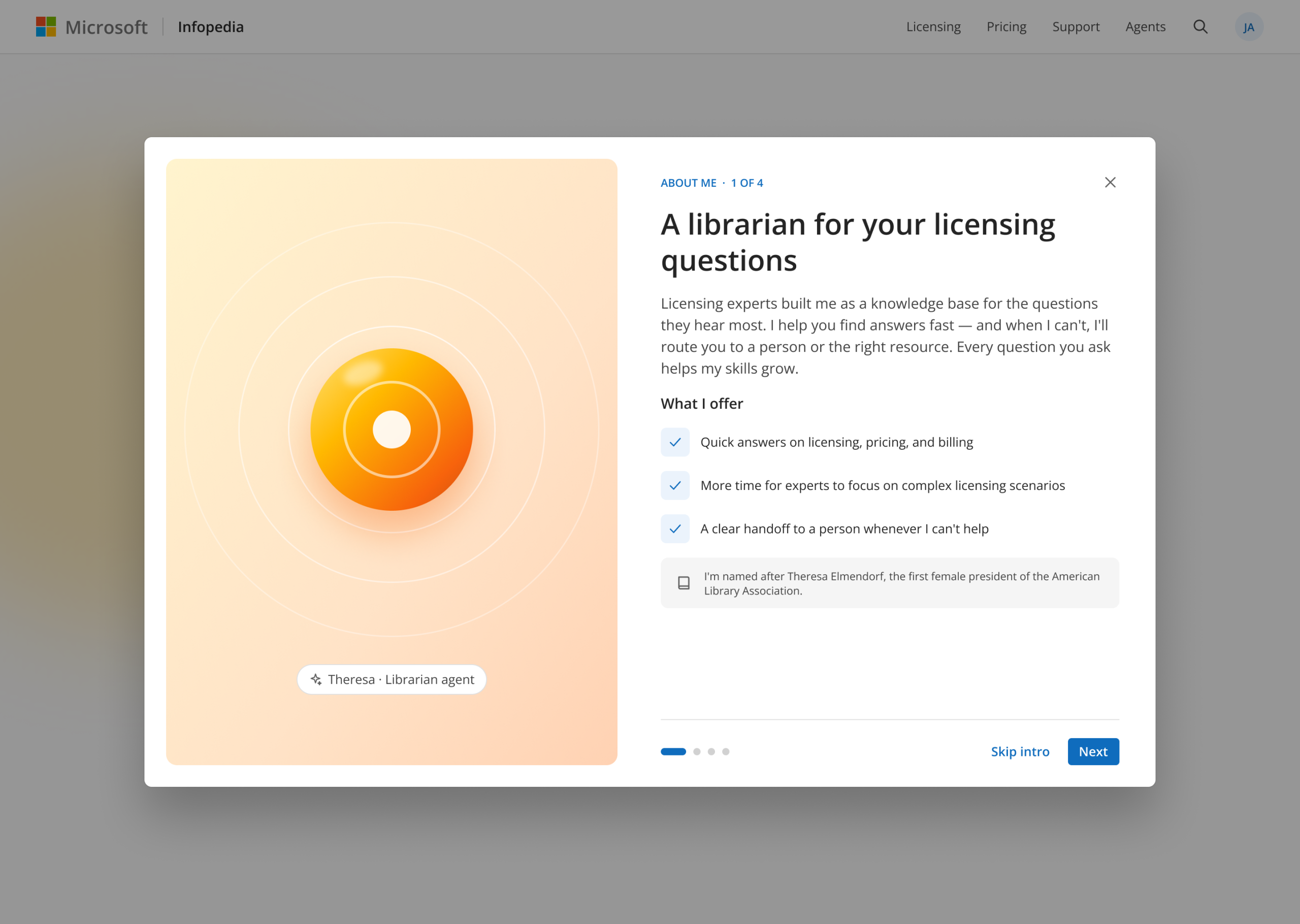
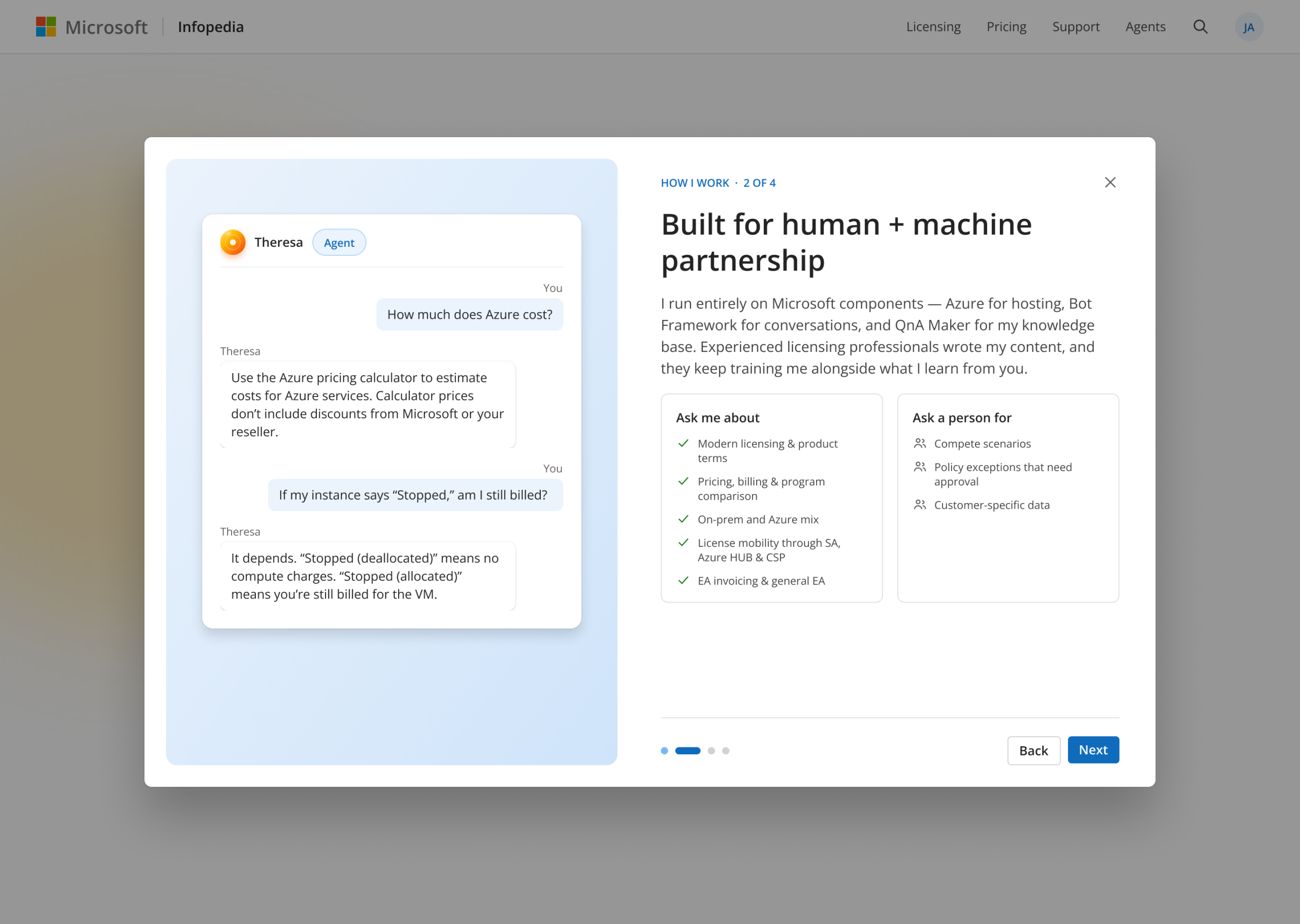
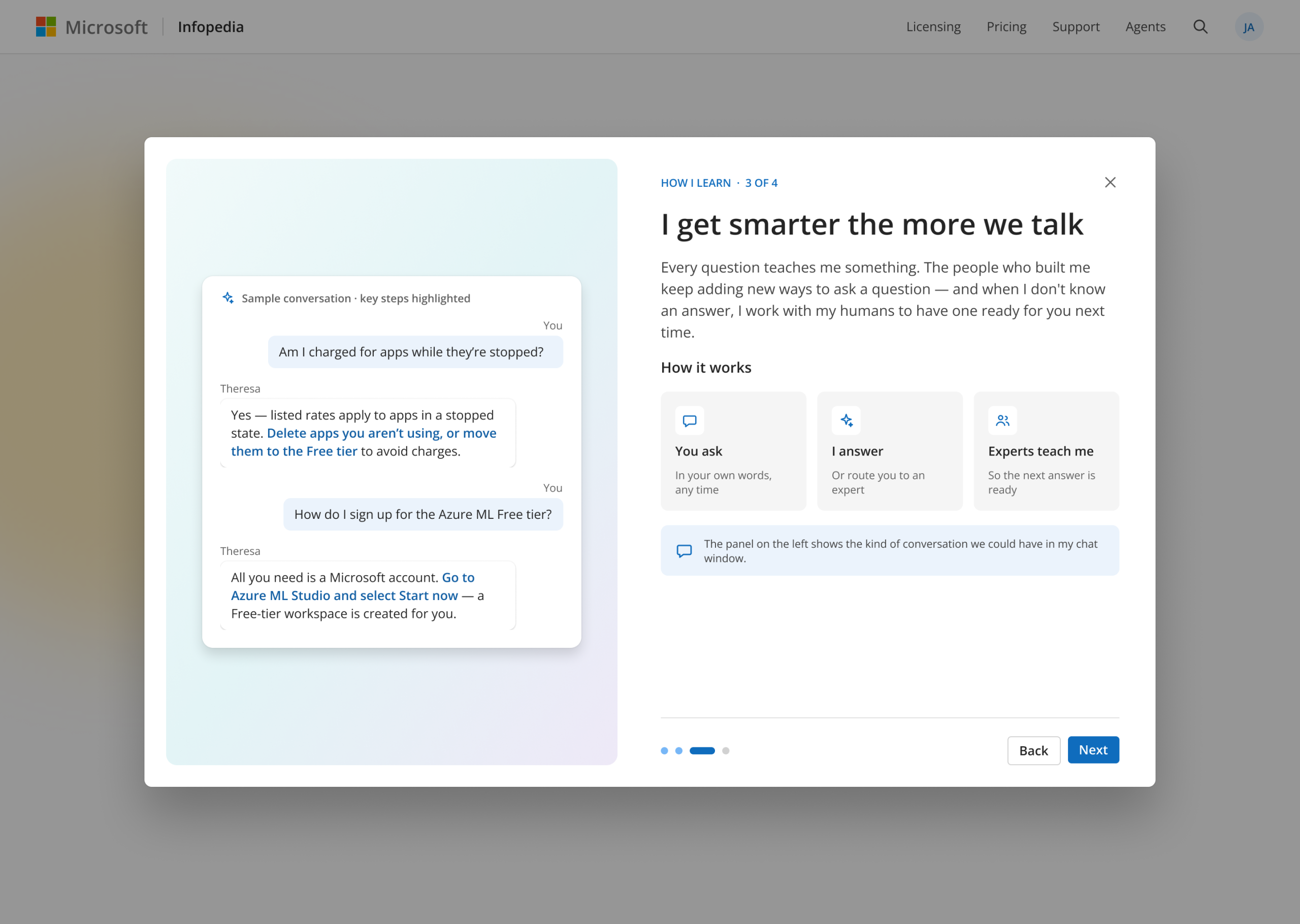
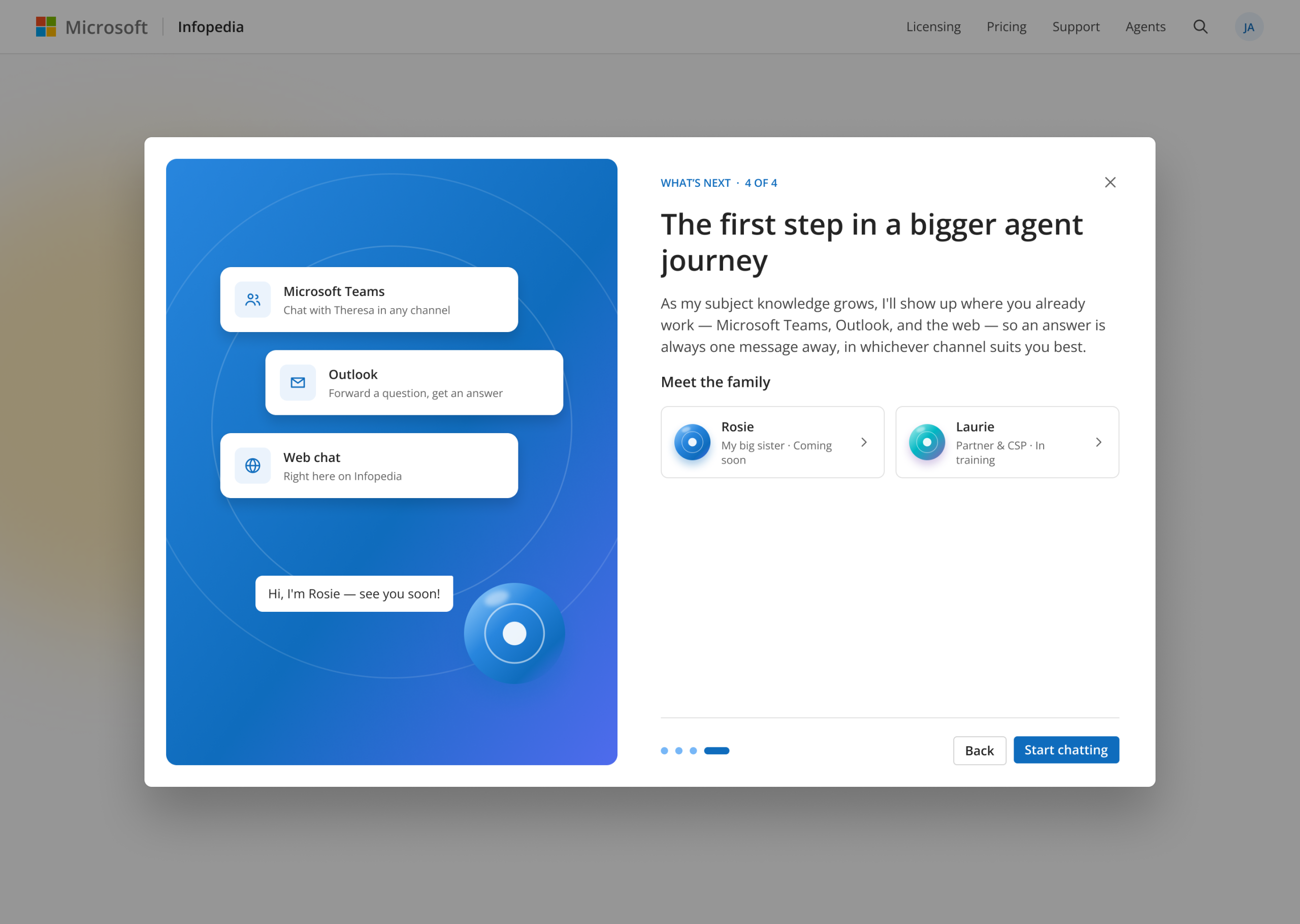
Theresa. Our flagship concept was an internal librarian bot on Microsoft Infopedia for common licensing questions, named after Theresa Elmendorf, the first female president of the American Library Association. Her onboarding set honest expectations: what she answers, what she doesn’t (compete scenarios, policy exceptions, customer data), how licensing experts keep training her, and where she’s headed next, with Teams, email and sister agents Rosie and Laurie.
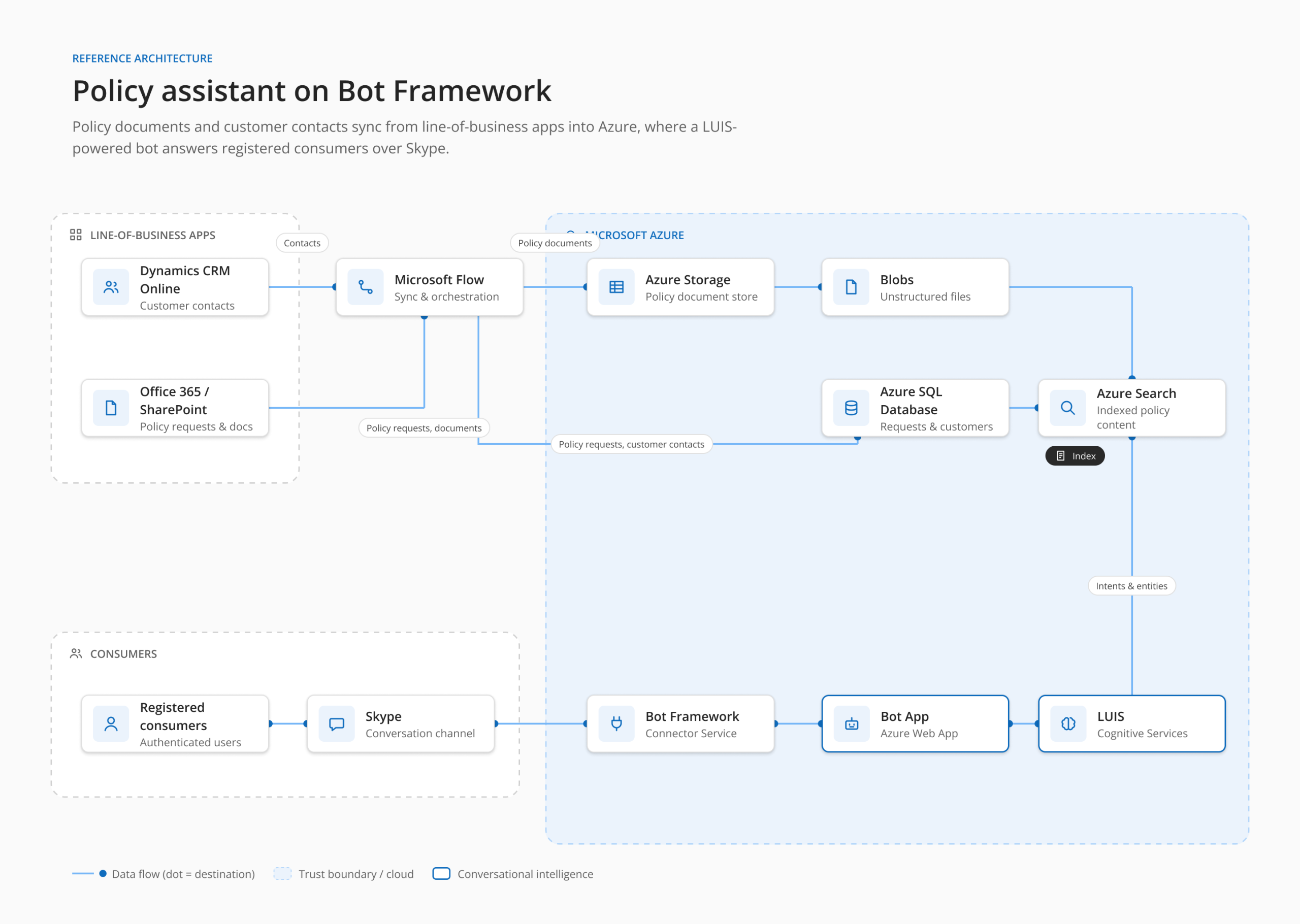
Reference architecture. A policy-assistant blueprint showed enterprise teams how CRM and SharePoint data flows through Microsoft Flow into Azure storage and search, with a LUIS-powered bot reaching consumers over Skype.
Design Decisions
- Set expectations before the first message.
- Design the handoff, not just the answer.
- Show the learning loop, so gaps become a reason to return.
- Give the bot a personality that serves the task.
- Answer with something actionable: cards, suggested replies, one-tap actions.
- Meet people in the channels they already use.
Outcomes
Our concepts gave Microsoft one shared picture of a product still taking shape. Three carried into the shipped product and launch materials: the components diagram, the three-pillar structure and the bot life cycle. Theresa moved past concept into an internal pilot. Bot Framework launched publicly, and its developer site is still live.
Sources
- Introducing the Microsoft Bot Framework for Developers — Microsoft, April 2016
- Microsoft Execs Talk Cortana, Bots & Windows — CMSWire, March 31, 2016
- Bot Framework developer site