T-Mobile — Signature Store Experience
Category
Digital, Product, Strategy, UXAbout This Project
Setup
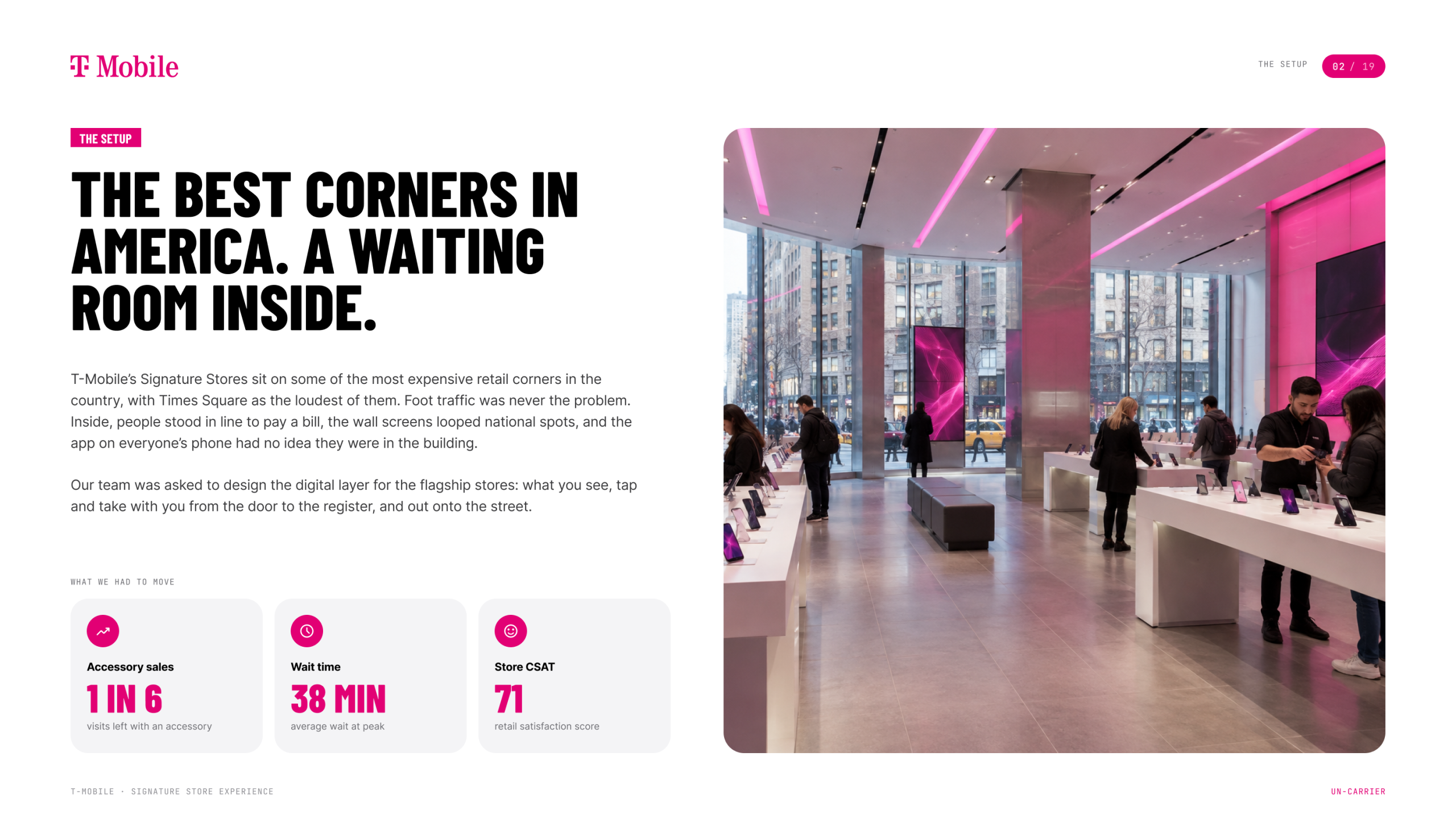
T-Mobile’s Signature Stores sit on some of the best retail corners in the country, and Times Square is the loudest of them. Getting people through the door was never the problem. Once they were inside, the experience fell apart. People stood in line to pay a bill. The wall screens looped the same national spots all day. The app on everyone’s phone had no idea they were in the building. T-Mobile asked our team at Sparks Grove to design the digital layer for its flagship stores. The goals were to sell more accessories, cut the wait, and lift store satisfaction scores.
What I Led
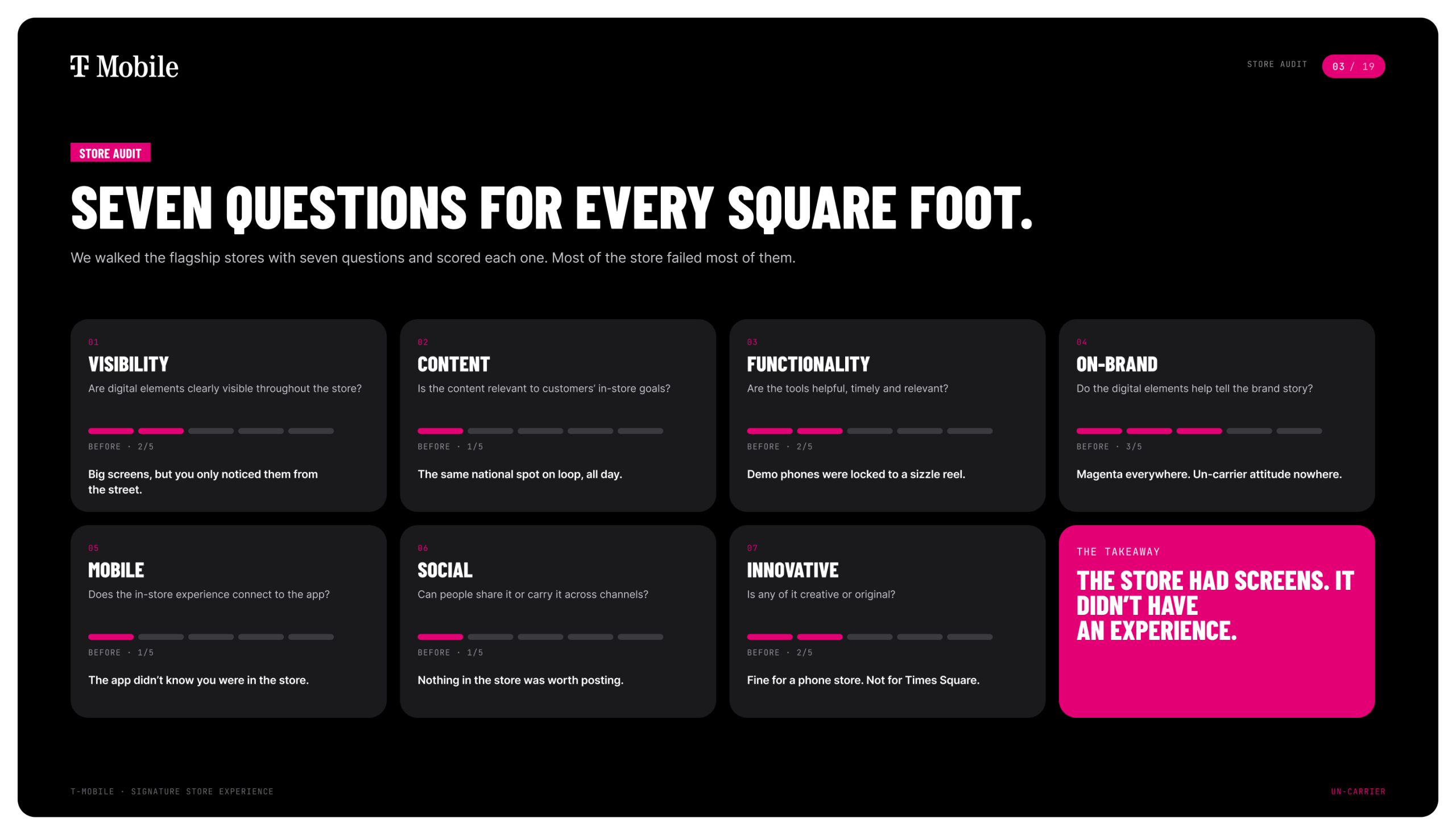
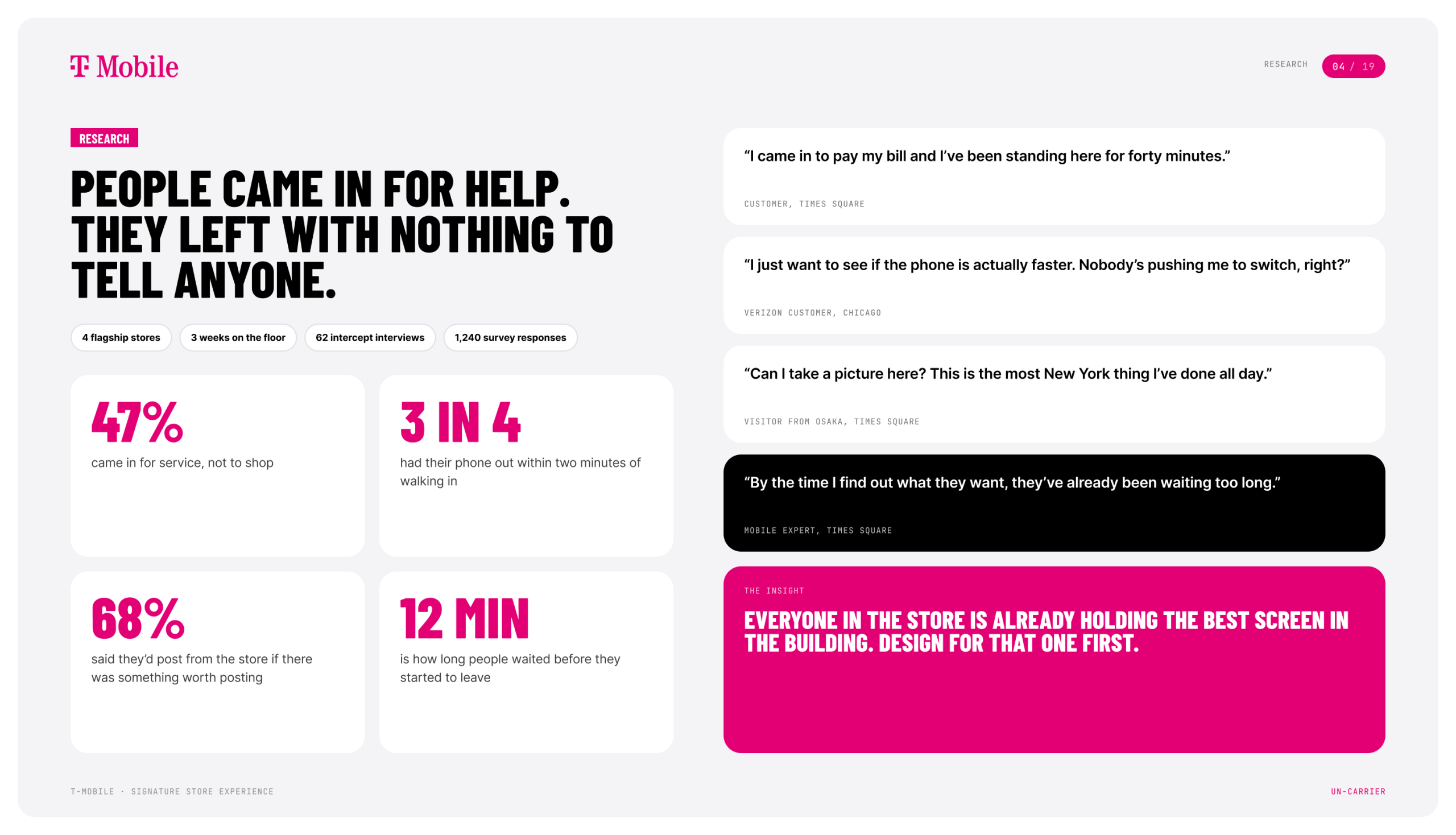
I led design from the first store walk through the final product screens. We audited every flagship against seven questions: visibility, content, functionality, brand, mobile, social and innovation. Most of the store failed most of them. Then we spent time on the floor with customers and Mobile Experts, and one thing kept coming up. Everyone in the store was already holding the best screen in the building. So we designed for that screen first and made everything else in the store respond to it.
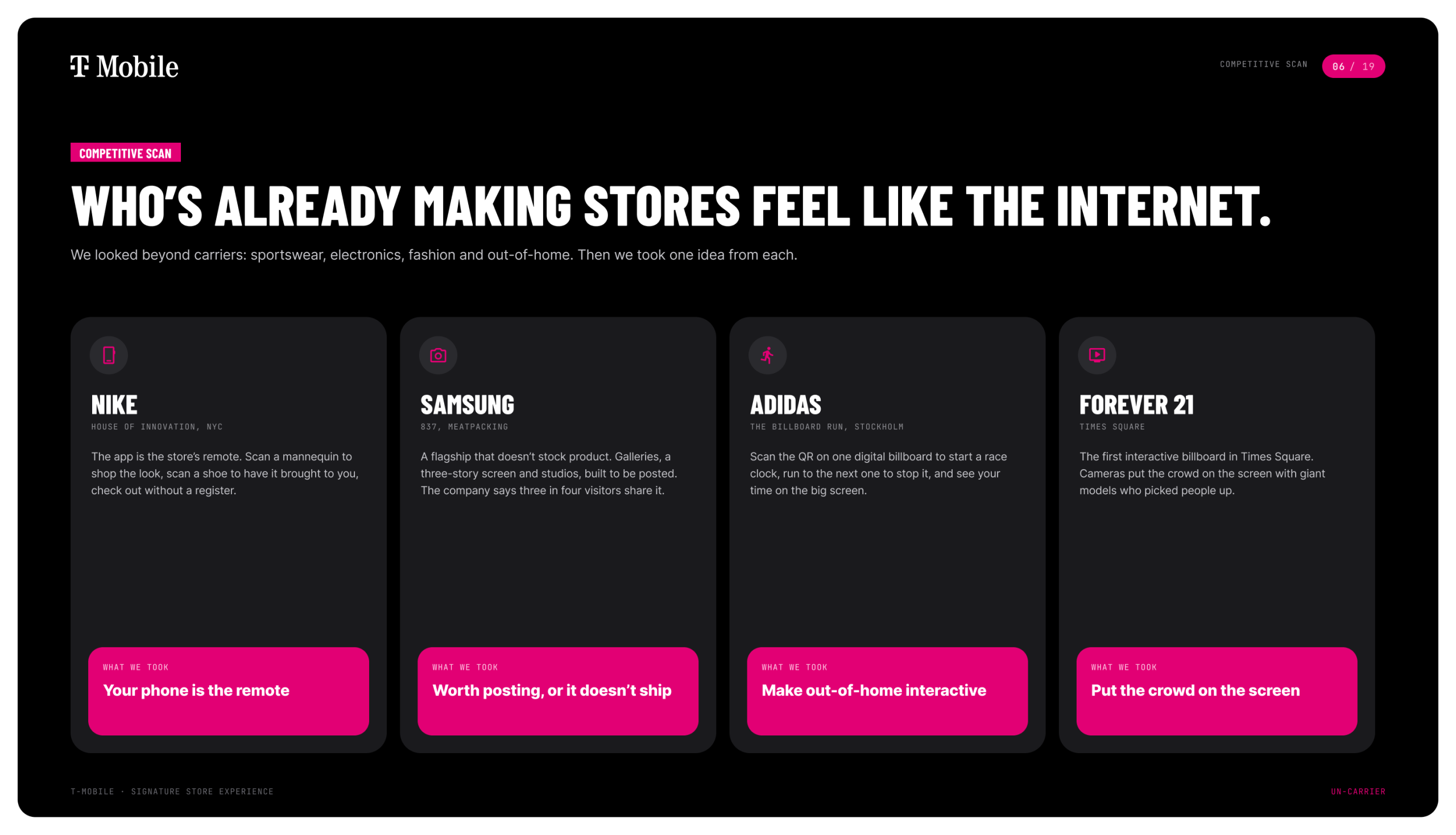
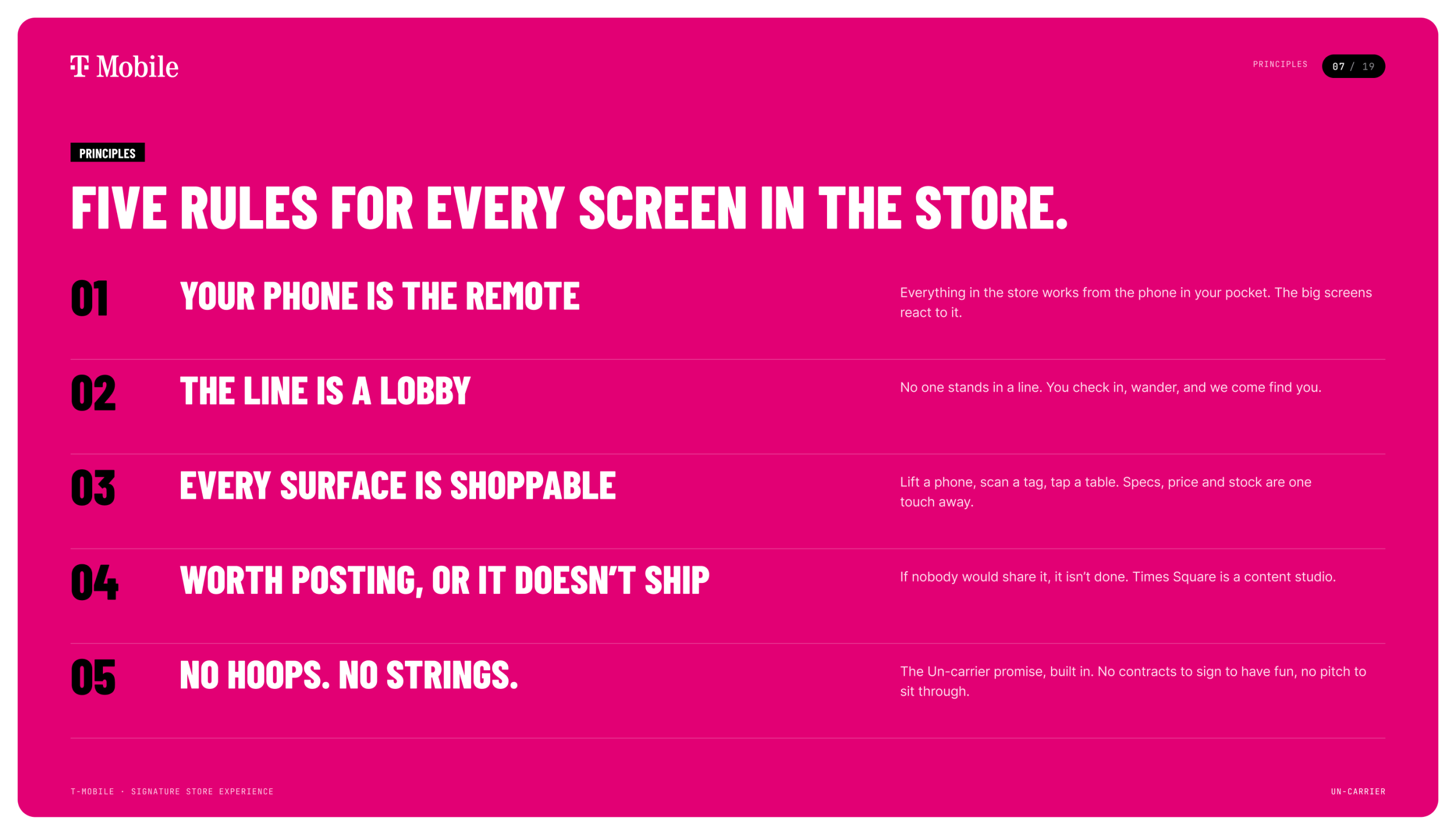
I pushed the team to look past other carriers. Nike, Samsung 837 and adidas were already making stores and billboards feel like the internet, so we studied what they were doing. That became five rules for every screen in the store. The one that shaped everything was simple: if nobody would post it, it doesn’t ship.
What We Delivered
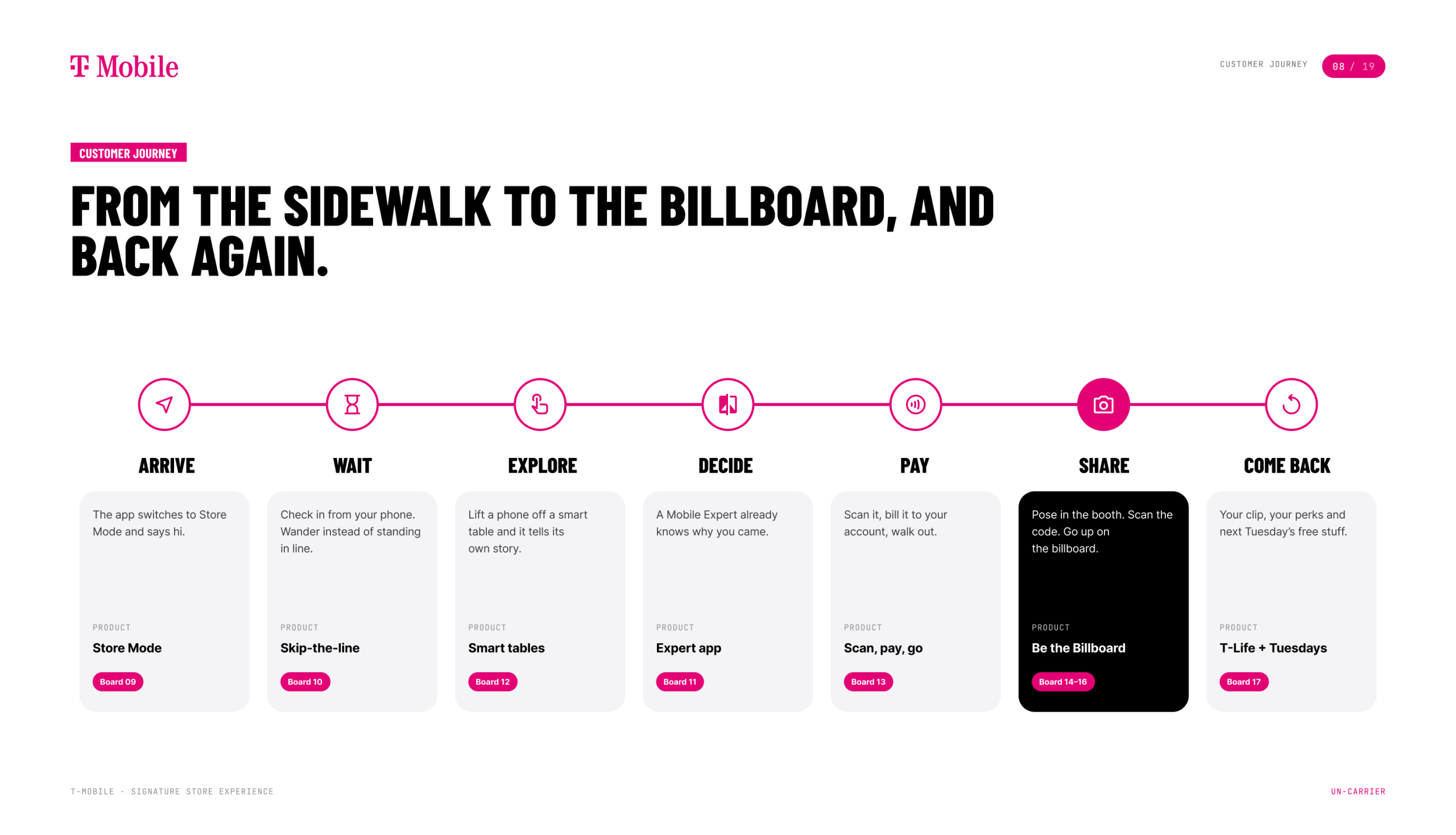
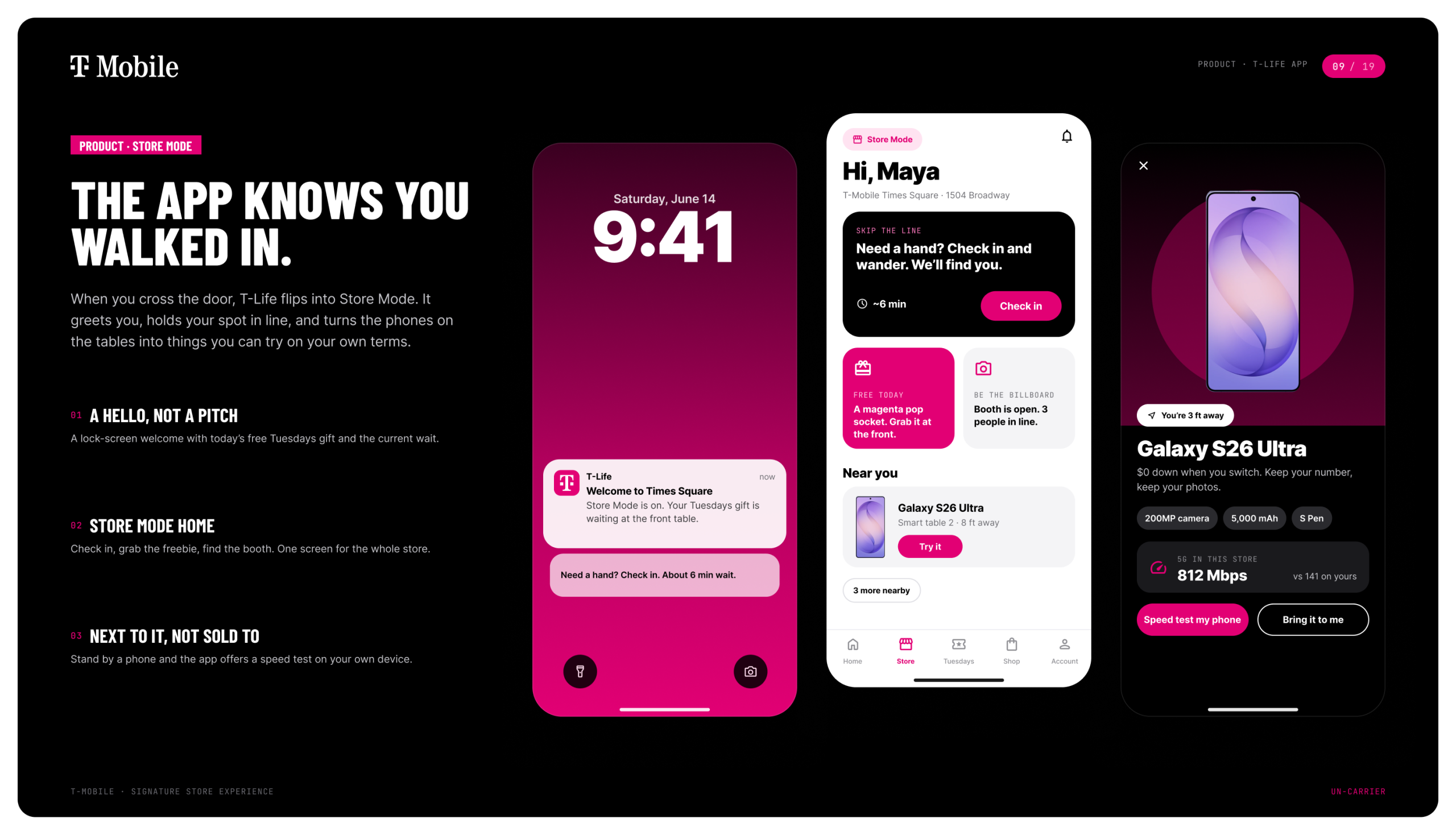
- Store Mode in the T-Life app. The app knows when you walk in. It greets you, shows the current wait and points you to that Tuesday’s free gift.
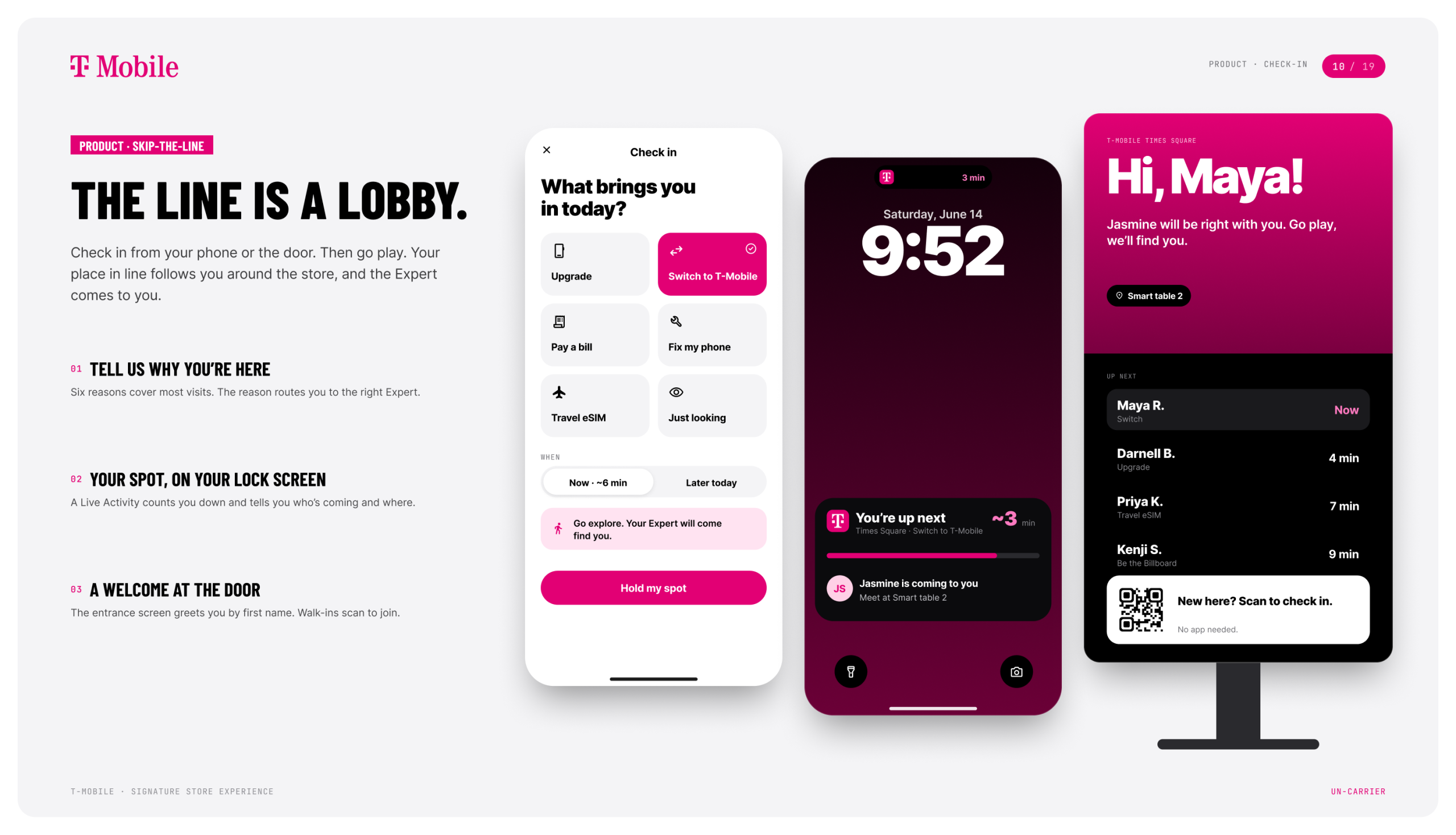
- Skip-the-line check-in. Customers check in from their phone or the screen at the door, then go explore. Their place in line follows them around the store, and the Expert comes to find them.
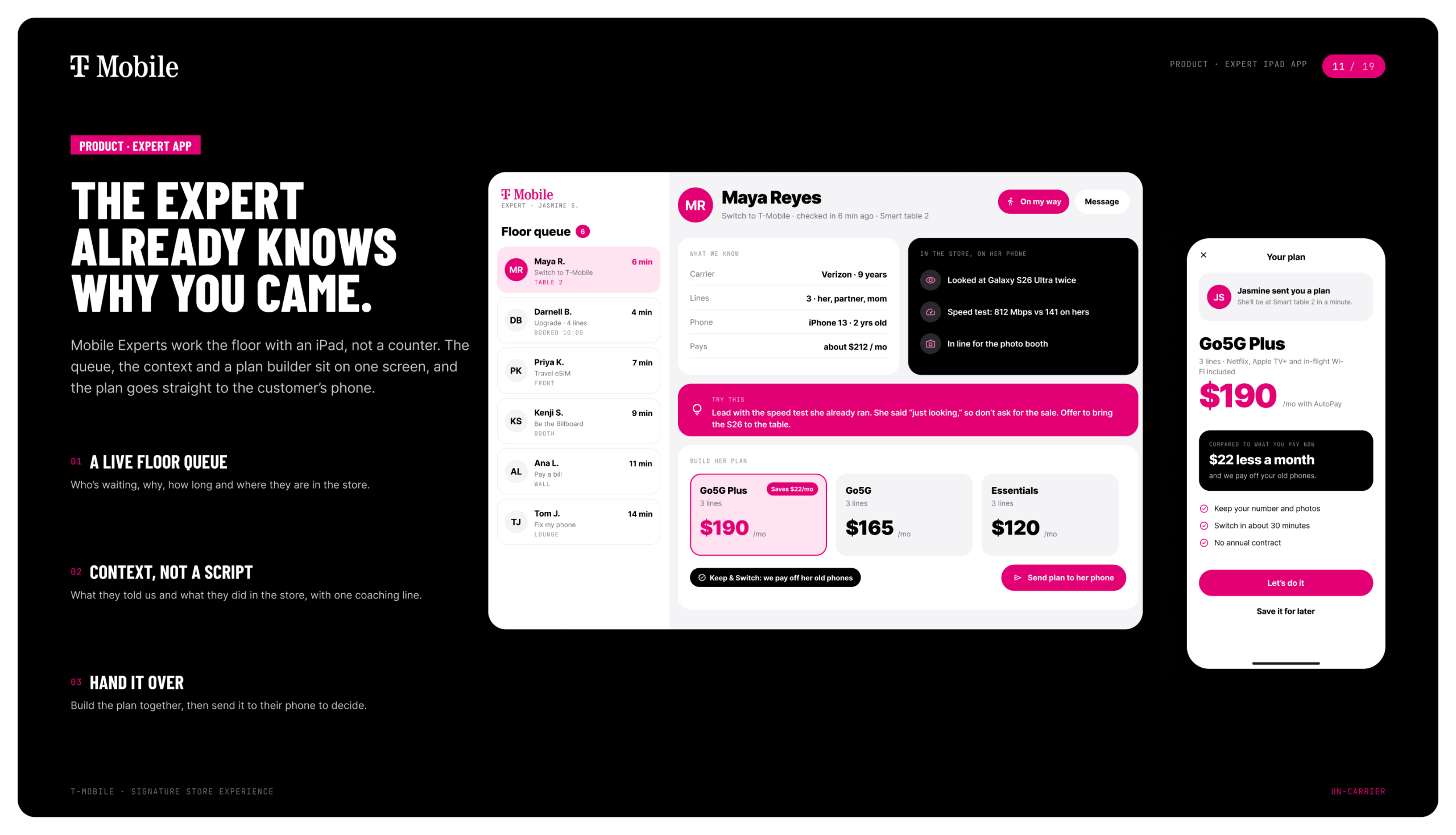
- The Expert iPad app. Mobile Experts work the floor instead of standing behind a counter. They see who’s waiting, why they came in and what they’ve already looked at. They build a plan together with the customer and send it straight to the customer’s phone.
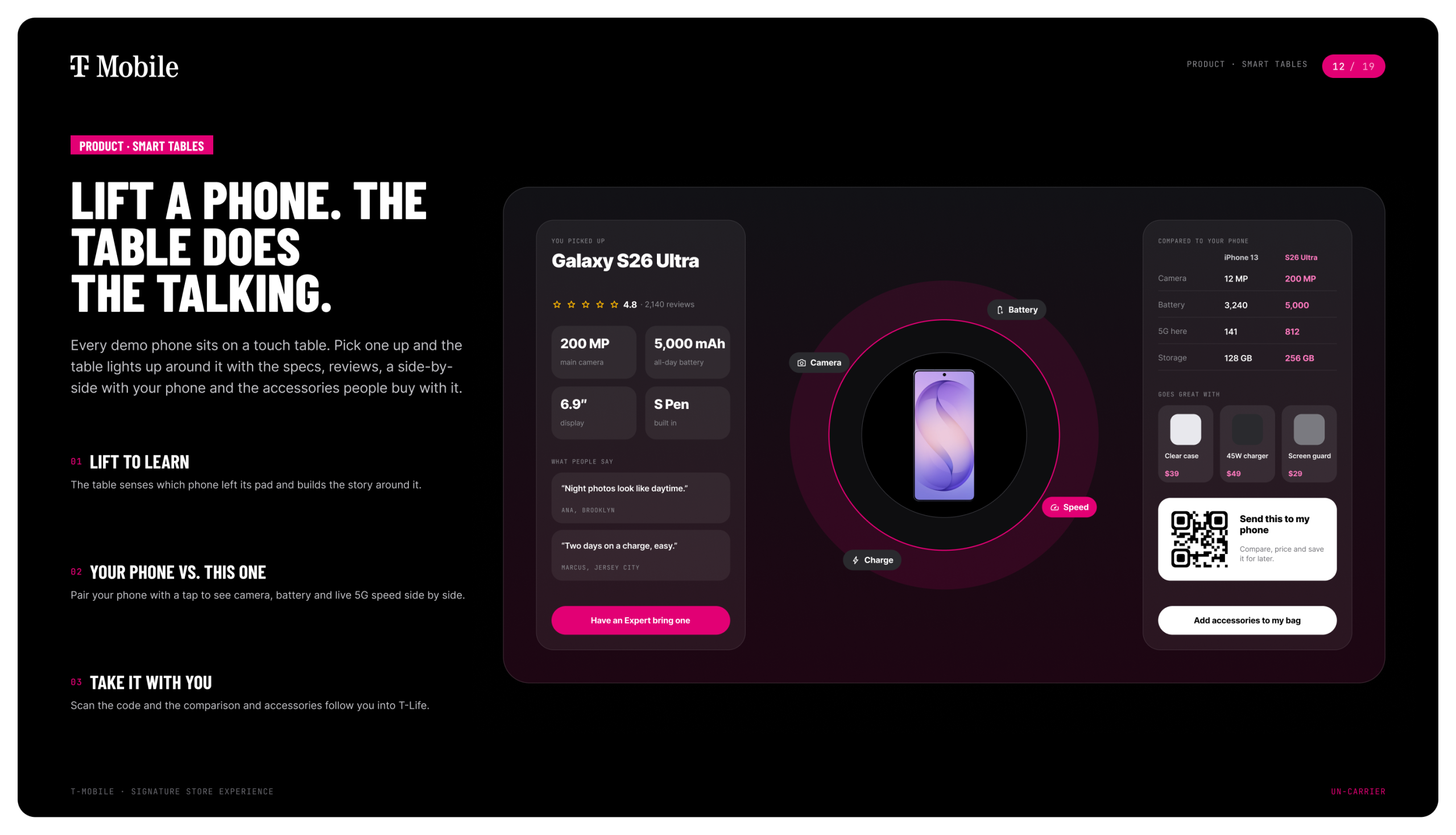
- Smart tables. Pick up a demo phone, like the new Galaxy S26 Ultra, and the table lights up around it. It shows specs, reviews, a side-by-side with the phone you already own, and the accessories people buy with it.
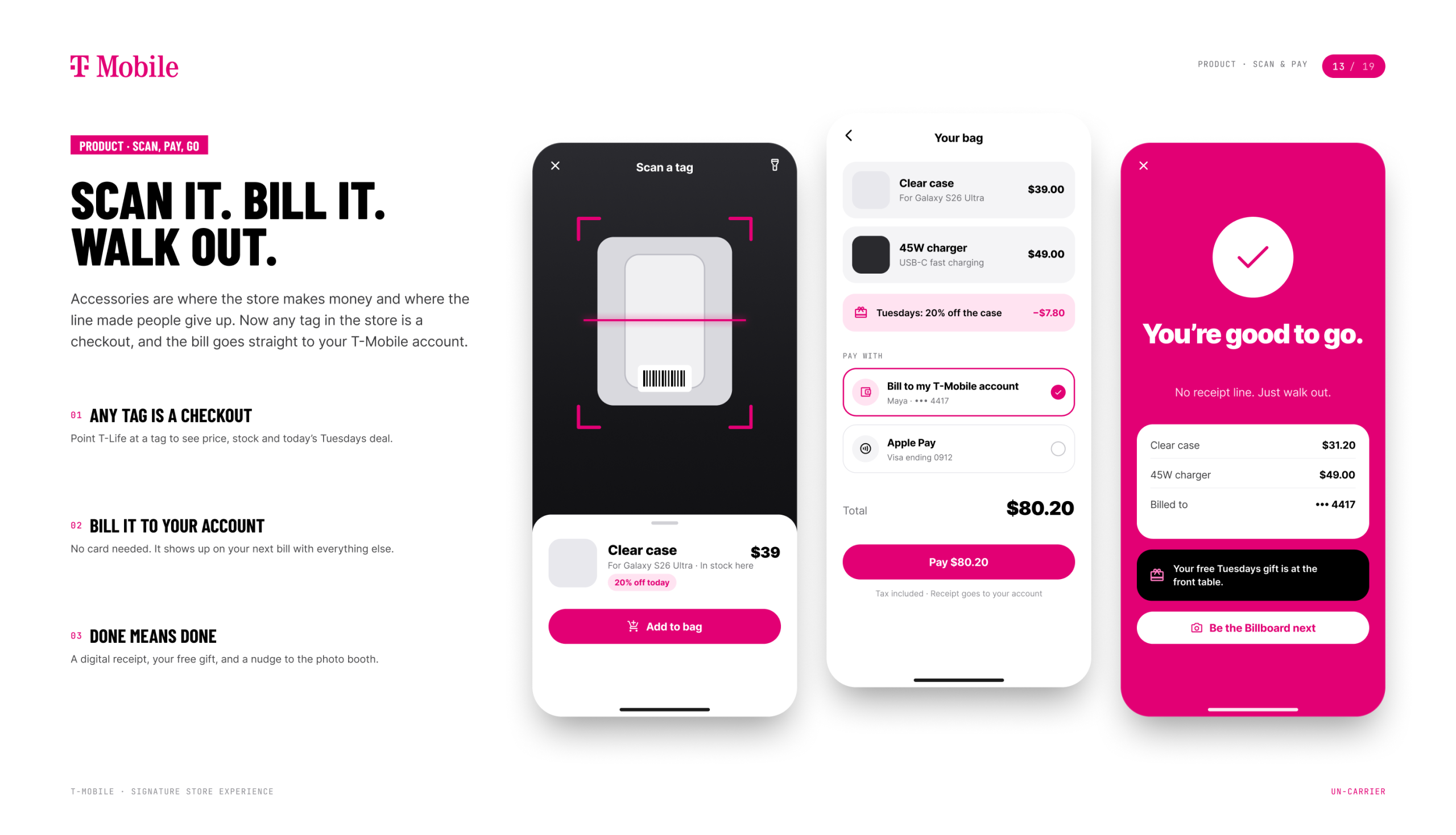
- Scan, pay, go. Any tag in the store works as a checkout. Accessories get billed to your T-Mobile account and you walk out.
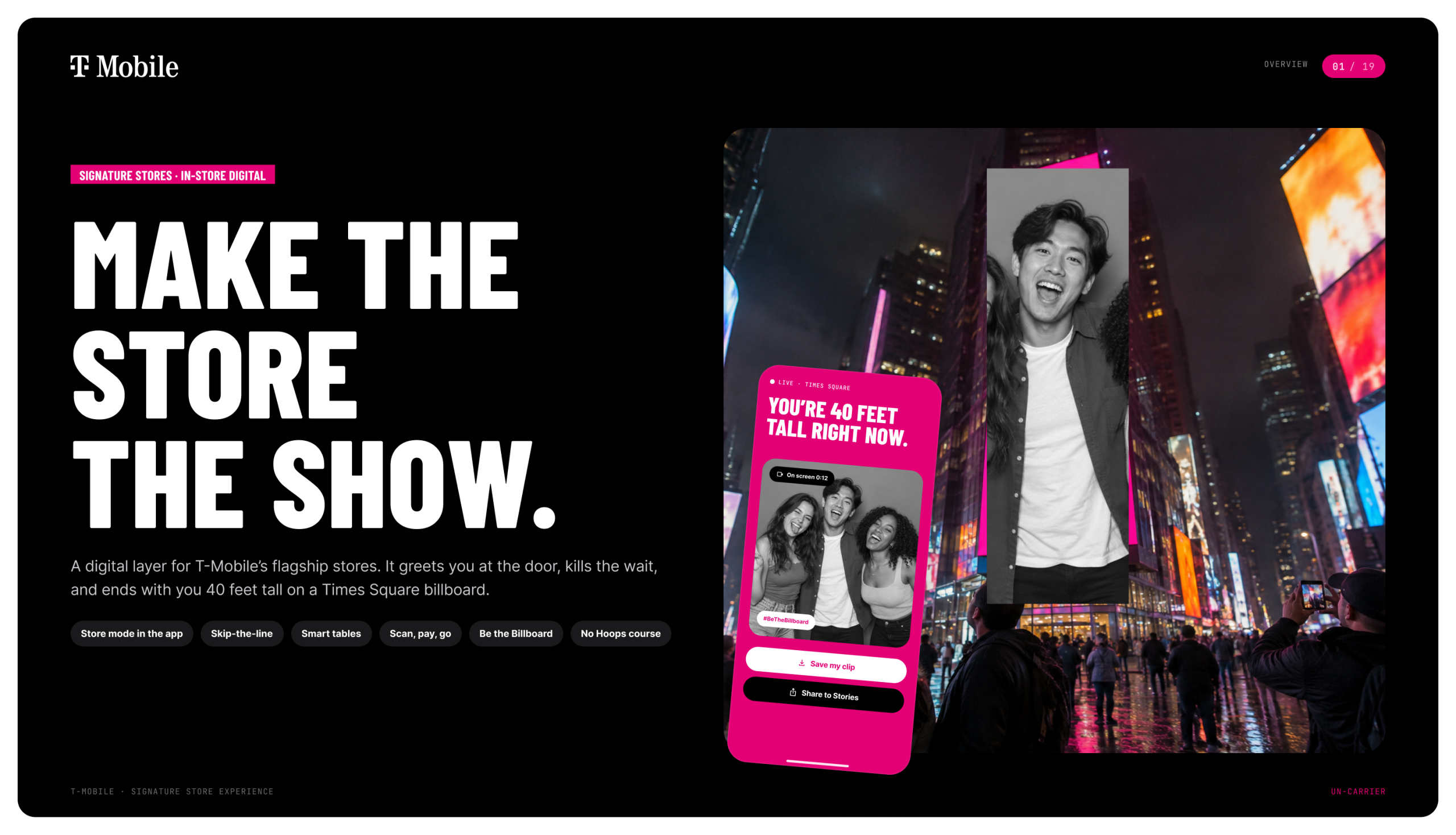
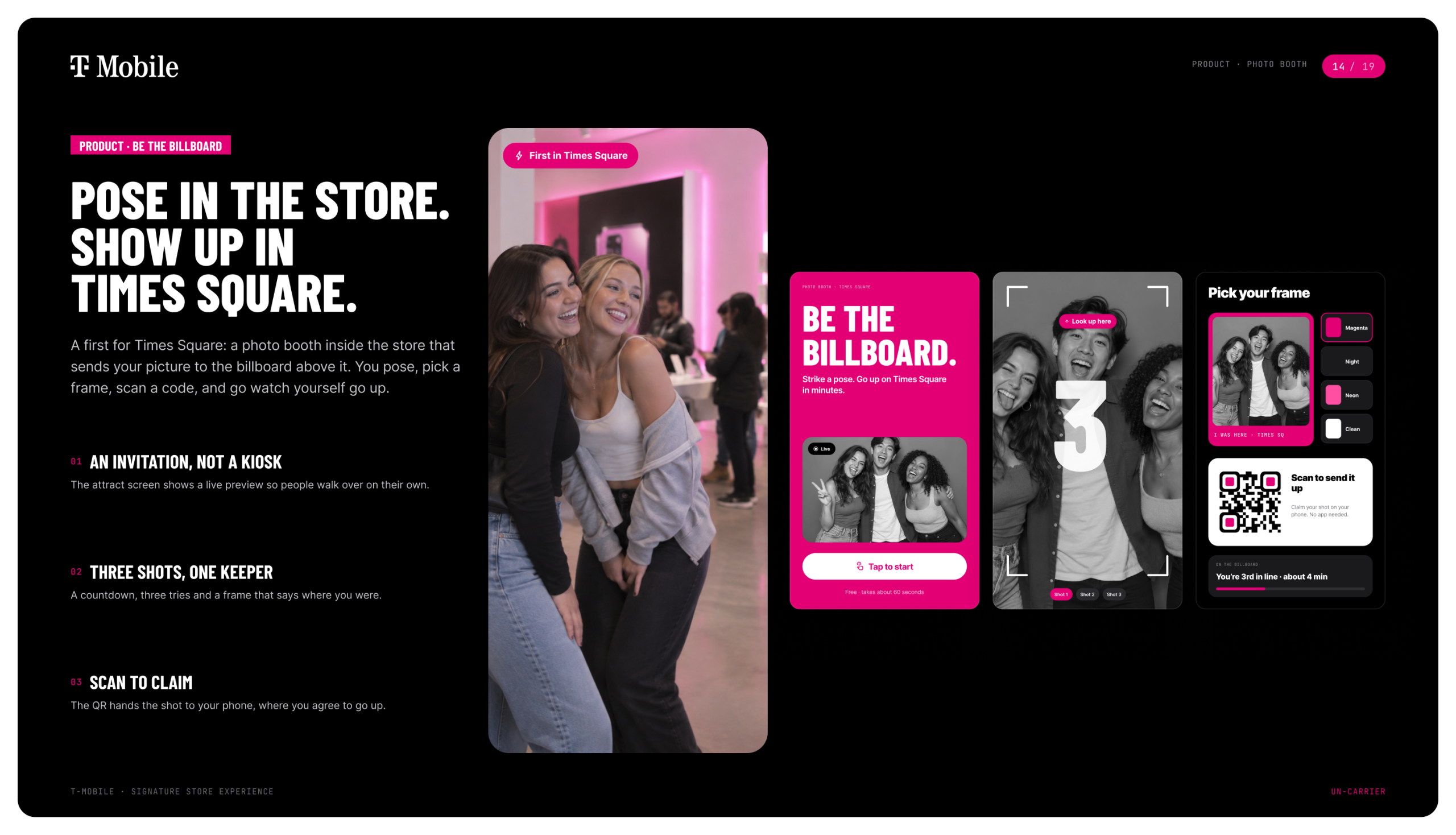
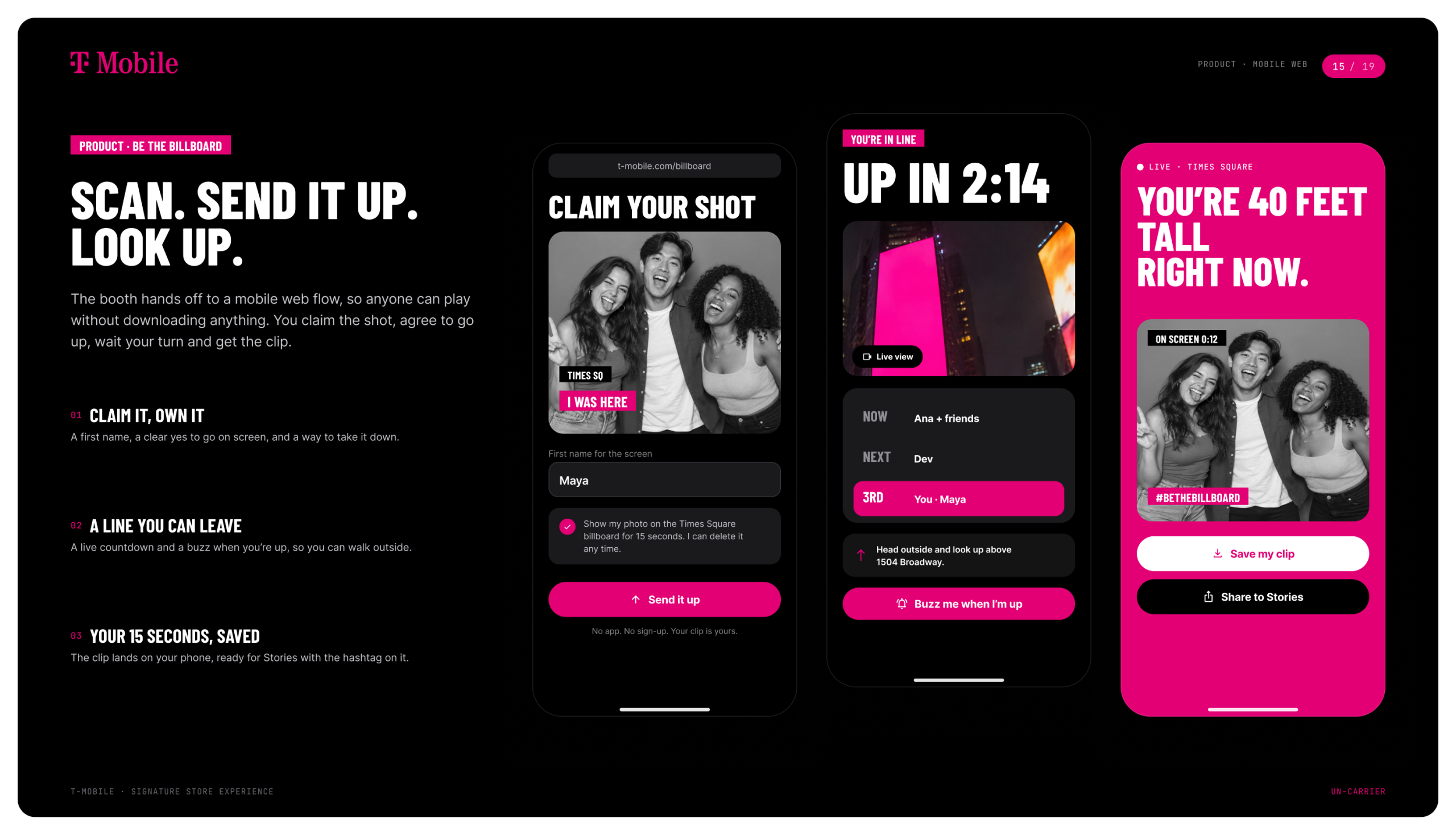
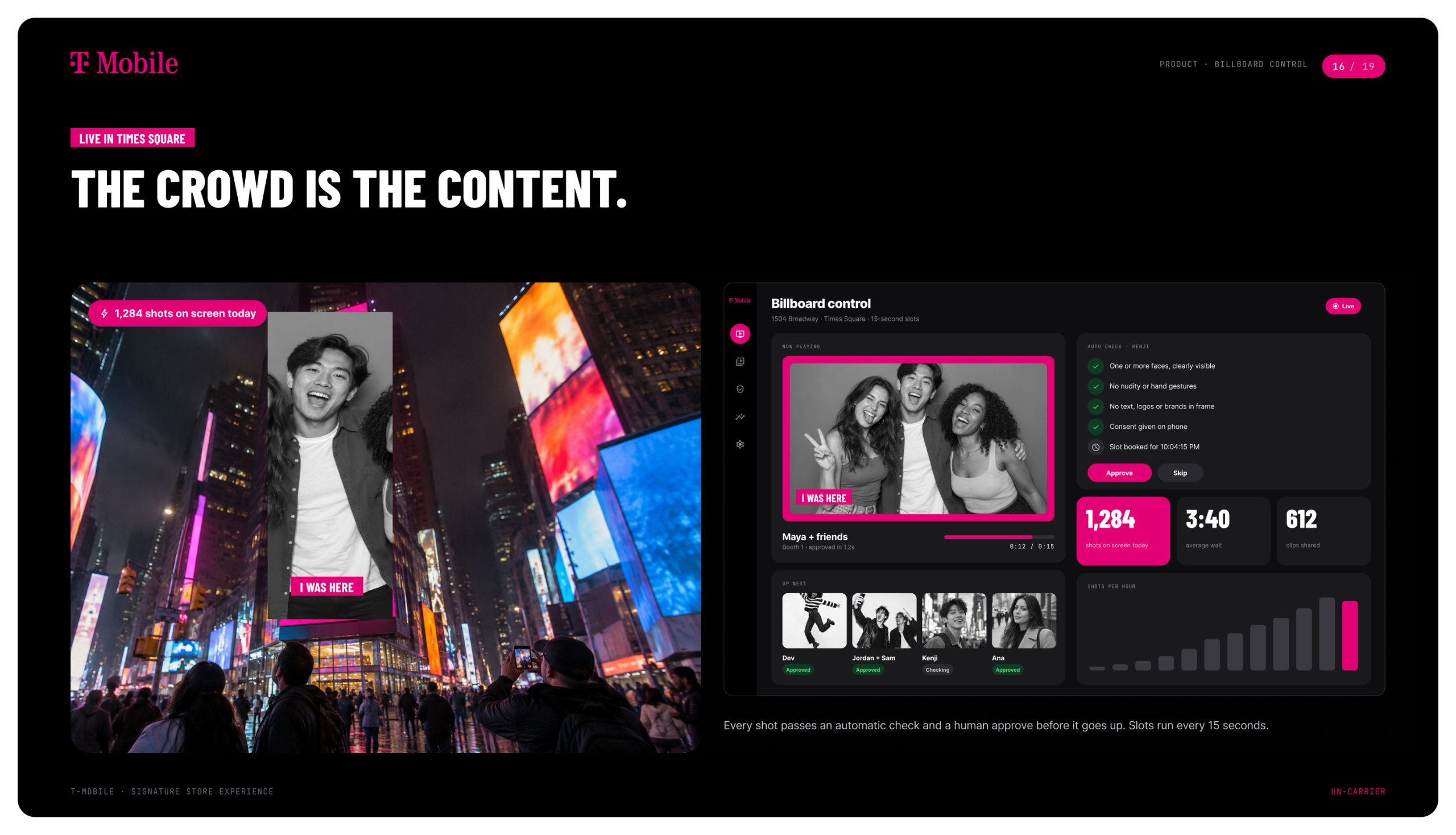
- Be the Billboard. We were the first to put a photo booth inside the store that sends your picture to the Times Square billboard above it. You pose, scan the QR code and approve it on your phone. Then you walk outside, look up and watch yourself go up, 40 feet tall.
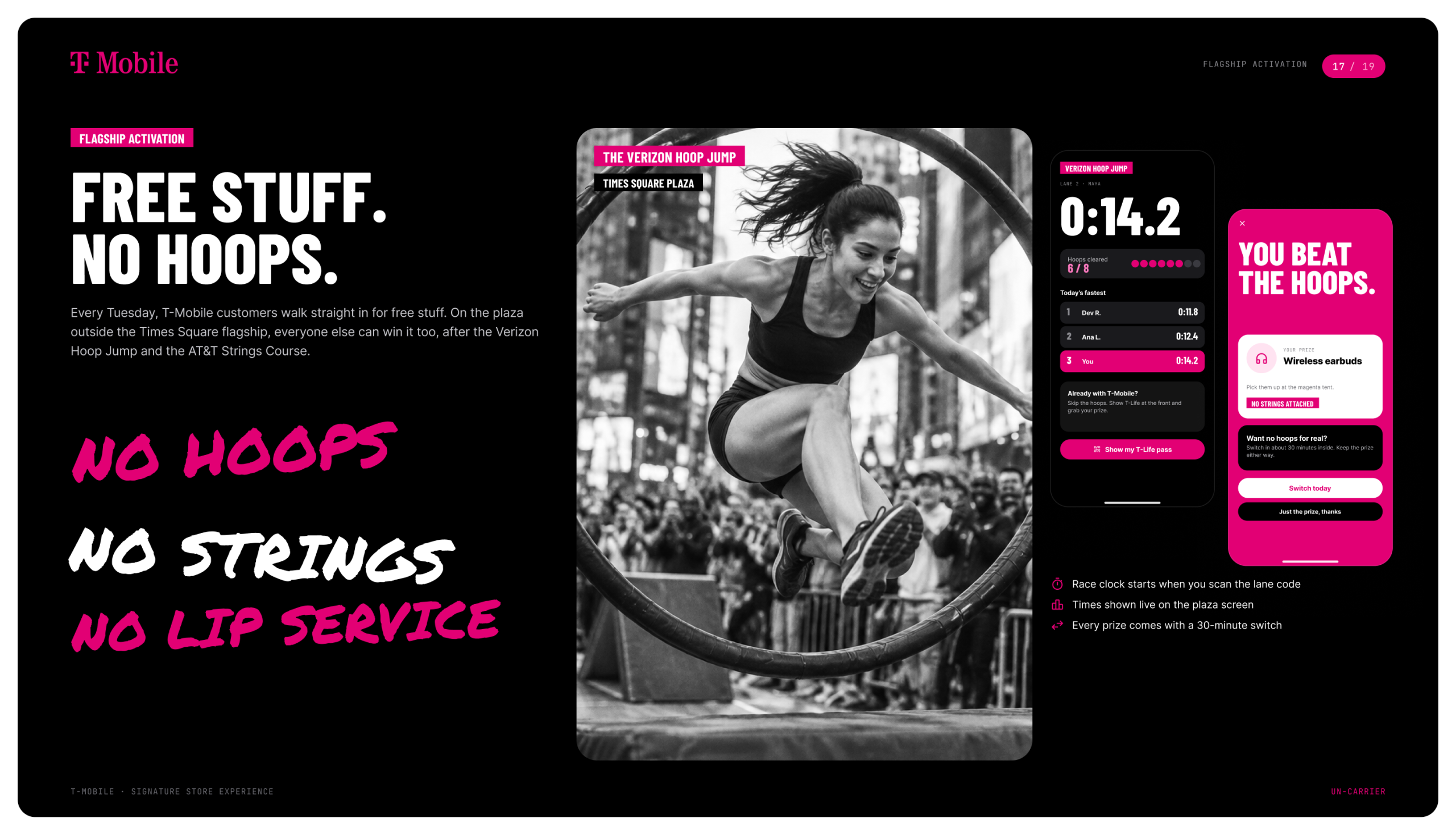
- No Hoops. No Strings. We set up an obstacle course on the plaza outside the flagship. T-Mobile customers walk right in for free stuff. Everyone else has to clear the Verizon Hoop Jump and the AT&T Strings Course first.
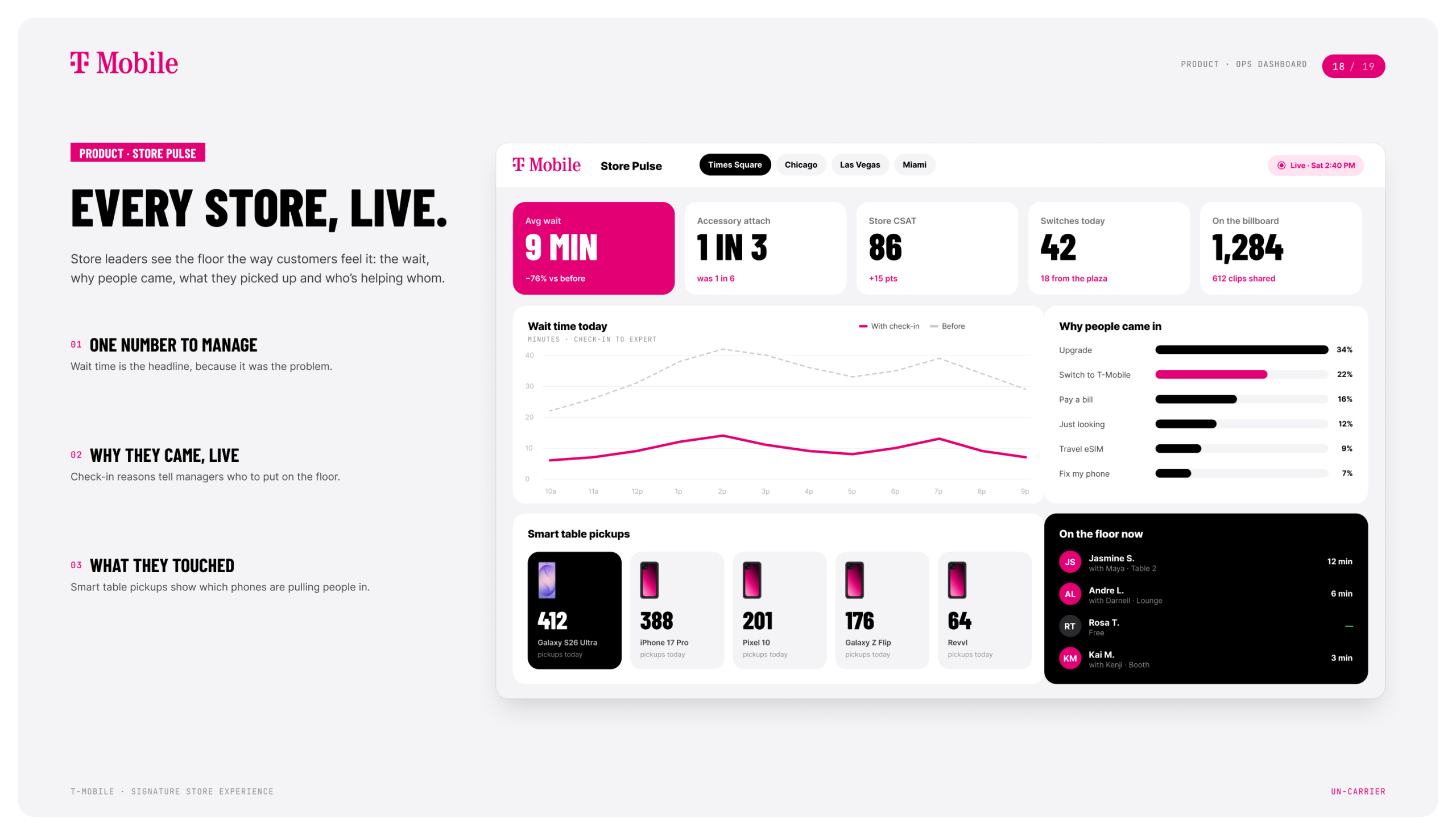
- Store Pulse. A live dashboard for store leaders that shows the wait, why people came in, which phones they picked up and who’s helping whom.
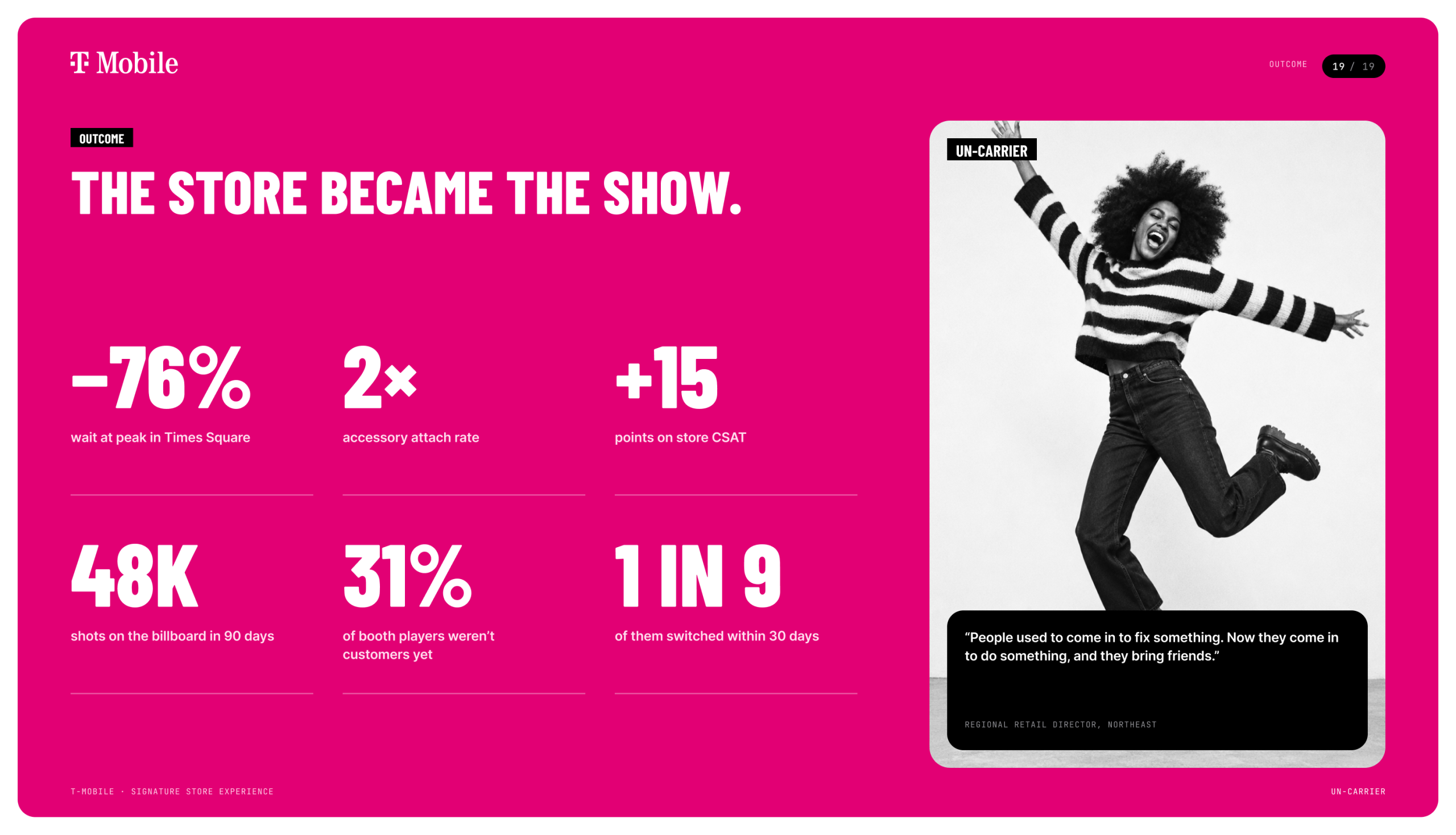
The result: the store stopped being a place you went to fix something and became a place you went to do something.